

Table of Contents
When it comes to hosting your WordPress site, security and performance are paramount. You need a hosting solution that not only meets but exceeds your expectations. With the ever-evolving digital landscape, having a secure and fast website is crucial for user experience and search engine rankings.
Imagine having a hosting platform that includes everything you need to ensure your site is both secure and high-performing right out of the box. This is where premium WordPress hosting solutions come into play, offering enhanced security features like SSL certificates and performance boosts through CDN integration.
Key Takeaways
- Premium WordPress hosting includes essential features like SSL certificates and CDN for enhanced security and performance.
- Leveraging Google Cloud infrastructure for exceptional speed and reliability.
- Specifically optimized for WordPress, ensuring compatibility with themes, plugins, and core updates.
- Having SSL and CDN included simplifies your hosting needs and enhances your site’s security and speed.
- Understanding the value proposition helps site owners make informed decisions about their hosting needs.
What Makes Kinsta WordPress Hosting Stand Out
Kinsta’s managed WordPress hosting stands out in a crowded market due to its exclusive focus on premium services. This specialization allows Kinsta to offer a comprehensive solution that handles technical aspects such as updates, security, and optimization, making it an attractive choice for WordPress users.
Premium Managed WordPress Hosting Overview
Kinsta distinguishes itself through its premium managed WordPress hosting services, offering a range of features tailored to WordPress sites. Unlike traditional hosting providers, Kinsta’s focus on WordPress enables deeper optimization and more WordPress-specific tools. The result is a hosting environment that is both secure and high-performance.
Google Cloud Platform Infrastructure
Kinsta’s use of the Google Cloud Platform infrastructure provides enterprise-grade technology, powering WordPress sites of all sizes. This infrastructure enables automatic scaling during traffic spikes, preventing downtime and ensuring consistent performance. Additionally, Kinsta’s container technology isolates each WordPress site, enhancing security and preventing resource competition.
The performance benefits of Kinsta’s architecture include faster page loading times and reduced server response times, positively impacting SEO rankings. With Kinsta, you get a hosting solution that is both powerful and reliable.
Kinsta SSL and CDN included WordPress hosting Features
With Kinsta, you get more than just WordPress hosting; you get a robust set of features like enterprise-level Cloudflare integration and free wildcard SSL certificates.
Enterprise-Level Cloudflare Integration
Kinsta’s enterprise-level Cloudflare integration is a game-changer for your website’s security and performance. This integration offers free DDoS protection and firewall protection, safeguarding your site from malicious traffic and potential downtime.
The advanced security features included in this integration are typically reserved for enterprise clients, making Kinsta a standout in the managed WordPress hosting landscape.
Free Wildcard SSL Certificates
The inclusion of free wildcard SSL certificates allows you to secure your main domain and unlimited subdomains without additional costs. This simplifies the process of expanding your website with new sections or microsites.
Wildcard SSL certificates provide a flexible and cost-effective way to ensure that all your subdomains are secure, enhancing your website’s overall security posture.
Global CDN with 260+ PoPs
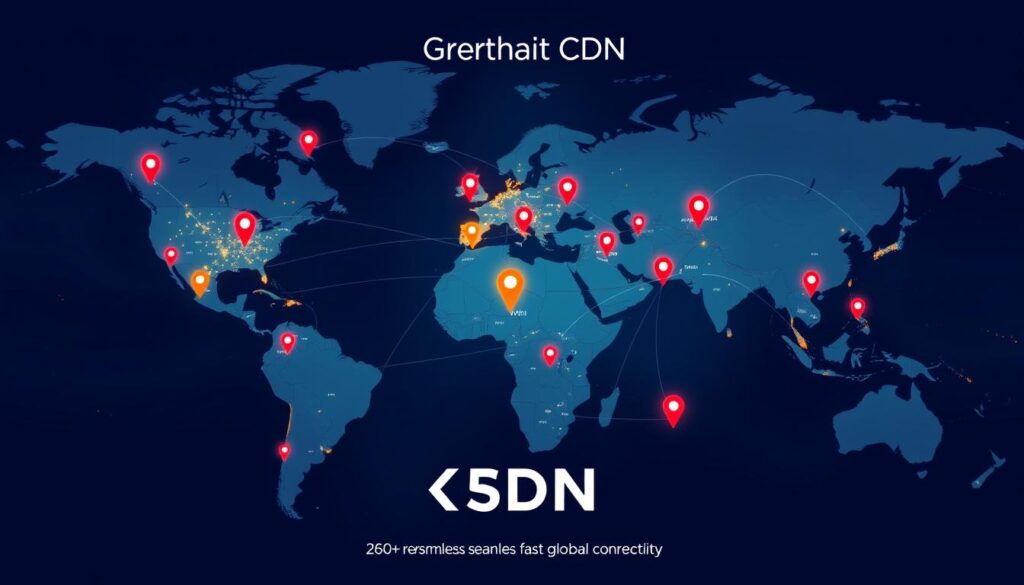
Kinsta’s global CDN network spans 260+ Points of Presence (PoPs) worldwide, ensuring that your content is cached and delivered from locations geographically close to your visitors. This dramatically reduces loading times, regardless of where your audience is located.
The CDN integration is seamlessly configured within your hosting account, eliminating the technical complexity of setting up and maintaining separate CDN services or accounts.
Performance and Speed Optimization
Kinsta’s managed WordPress hosting is designed to deliver lightning-fast speeds and unparalleled performance. By leveraging the latest advancements in technology, Kinsta ensures that your website runs at optimal levels.
Google C2 and C3D Machines
Kinsta has upgraded its infrastructure with Google Cloud’s C3D virtual machines, which offer superior processing power compared to standard virtual machines. The C3D machines are equipped with 4th-generation AMD EPYC™ CPUs, providing a maximum frequency of 3.7 GHz. This enables Kinsta to handle high-traffic websites and resource-intensive applications with exceptional efficiency.
The use of Google Cloud’s C2 and C3D machines ensures high memory speeds and per-thread performance, making them ideal for compute-intensive workloads.
Server-Level Caching and Edge Caching
Kinsta implements multiple layers of caching at the infrastructure level, including object caching and full-page caching. This server-level caching eliminates the need for complex caching plugins, simplifying your website’s performance optimization.
Additionally, Kinsta utilizes edge caching by storing cached content at Cloudflare’s global network edges. This reduces the distance data needs to travel, significantly improving loading times for international visitors.
HTTP/3 Support and Early Hints
Kinsta’s implementation of HTTP/3 support leverages the latest web protocol to improve connection times, especially on mobile networks. By eliminating head-of-line blocking issues present in older HTTP versions, HTTP/3 enhances your website’s overall performance.
The Early Hints feature allows browsers to begin loading critical resources before the main page response is complete. This creates a perception of faster loading and improves Core Web Vitals metrics, further enhancing your website’s user experience.
By combining these advanced technologies and optimizations, Kinsta provides a hosting environment that is both fast and reliable. Whether you’re managing a high-traffic website or a resource-intensive application, Kinsta’s WordPress hosting is designed to meet your needs.
Security Features and Measures
Kinsta prioritizes security, offering a comprehensive suite of features to protect your WordPress site. With a multi-layered approach, Kinsta ensures that your hosting environment is secure and reliable.
DDoS Protection and Firewall
Kinsta implements enterprise-grade DDoS protection using Cloudflare, mitigating attacks of any size without affecting legitimate traffic. The advanced firewall system combines Google Cloud Platform’s firewall with Cloudflare’s Web Application Firewall (WAF), creating rules that target WordPress vulnerabilities and common attack vectors.
Isolated Container Technology
Kinsta’s isolated container technology ensures each WordPress site operates in its own LXD container with dedicated resources. This prevents security breaches from affecting neighboring sites, even within the same account. Continuous malware scanning and proactive threat detection identify and neutralize potential security issues before they impact your site.
SOC2 and ISO27001 Compliance
Kinsta’s SOC2 and ISO27001 compliance certifications demonstrate adherence to rigorous international security standards. These certifications provide independent verification of Kinsta’s security practices, ensuring the integrity, availability, and confidentiality of your site’s data. Additional security measures include automatic IP blocking for repeated failed login attempts and PHP version management.
By choosing Kinsta for your WordPress hosting, you benefit from a security guarantee that includes free cleanup if your site is compromised. Kinsta’s commitment to security is evident in its continuous updates to address emerging threats and its proactive approach to safeguarding your WordPress site.
MyKinsta Dashboard and User Experience
MyKinsta transforms the way you manage your WordPress hosting with its user-centric design. This custom-built control panel is specifically tailored for WordPress site management, offering an intuitive interface that simplifies complex tasks.
Custom Control Panel Features
The MyKinsta dashboard represents a significant departure from traditional cPanel interfaces, offering a custom-built control panel designed specifically for WordPress site management. It features intuitive navigation and clear visual presentation, making it easier to manage your site.
Unlike generic hosting control panels, MyKinsta focuses exclusively on the tools and features WordPress site owners need, eliminating unnecessary complexity and streamlining common management tasks.
Streamlined Site Management
MyKinsta’s site management tools include one-click staging environments, easy site cloning, and seamless production pushes that simplify the development workflow for both developers and site owners. The dashboard provides comprehensive analytics about your site’s performance, resource usage, and visitor patterns, giving you actionable insights without requiring third-party analytics tools.
The user experience is enhanced by thoughtful design elements like clear visual indicators for site status, resource usage warnings, and integrated help resources accessible directly from relevant sections.
Backup and Staging Environments
With Kinsta, you get access to powerful backup and staging environments designed to safeguard and streamline your WordPress site. Kinsta’s hosting provides comprehensive backup and staging features, ensuring your site’s integrity and flexibility.
Automatic Daily Backups
Kinsta’s backup system automatically creates daily backups of your WordPress sites, storing them securely for 14-30 days depending on your plan. This ensures you always have recent recovery points available. The backup process is designed to be non-disruptive, using system resources efficiently to avoid impacting your site’s performance during backup creation. Each backup captures your entire site, including files, databases, and configurations, making complete restoration possible with a single click from the MyKinsta dashboard.
Additional security is provided through manual backup points, which you can create before making significant changes to your site, offering extra security during updates or redesigns.
One-Click Staging Environments
Kinsta’s one-click staging environments allow you to create an exact copy of your production site in seconds, providing a safe space to test changes, updates, or new features. The staging environments are fully functional WordPress sites with their own resources, enabling realistic testing of performance impacts and user experiences before pushing changes live.
For complex projects, Kinsta offers premium staging add-ons that provide multiple concurrent staging environments, enabling parallel development tracks or A/B testing scenarios. Both backups and staging environments are accessible directly from the MyKinsta dashboard, eliminating the need for third-party backup plugins or complex staging setups.
Kinsta Pricing Plans and Value
With Kinsta, you can choose from a range of WordPress hosting plans that suit your specific requirements, from small blogs to large enterprise sites.
WordPress Hosting Plans Comparison
Kinsta offers a variety of WordPress hosting plans, each with distinct features and pricing. The plans are differentiated based on the number of WordPress installations, monthly visits, storage allocation, and PHP workers. Here’s a brief overview:
Kinsta’s plans include Starter ($35/month), Pro ($70/month), Business1 ($115/month), Business2 ($225/month), Business3 ($340/month), Business4 ($450/month), and Enterprise ($675/month). All plans share the same core infrastructure, including Google Cloud’s Premium Tier network, C2 and C3D machines, isolated container technology, and enterprise-level Cloudflare integration.
Key features across all plans include free wildcard SSL certificates, global CDN with 260+ PoPs, and HTTP/3 support.
Additional Services and Add-ons
In addition to the standard hosting plans, Kinsta offers various add-ons and services to enhance your hosting experience. These include premium migrations for complex sites, external backup storage, Redis cache, and increased PHP memory limits for resource-intensive applications.
Kinsta also provides specialized agency plans with features like white-labeling options and client billing tools, making it an ideal choice for web professionals managing multiple client sites.
For organizations with specific compliance requirements, Kinsta offers enterprise plans with custom configurations, dedicated support channels, and additional security measures.
DevKinsta: Local WordPress Development Tool
DevKinsta empowers developers to create, test, and deploy WordPress sites locally. This free local WordPress development tool is powered by Docker containerization, ensuring a consistent development environment that matches your production hosting.
Key Features and Benefits
DevKinsta offers a range of features that simplify the development process. With one-click WordPress installation, you can create a fresh site, import from an existing Kinsta-hosted site, or import from a custom WordPress backup. The tool includes built-in database management through Adminer and email testing capabilities, allowing you to test and debug your WordPress website locally.
Key benefits include: a consistent development environment, one-click site creation, and built-in tools for database and email management.
Seamless Integration with Kinsta Hosting
DevKinsta integrates perfectly with Kinsta hosting, allowing for seamless pushing of local sites to staging environments and pulling production sites down for local development. This integration creates a complete development workflow, making it easier to manage your WordPress websites.
This integration enables: easy site migration, consistent environments, and streamlined development workflows.
Pros and Cons of Kinsta WordPress Hosting
When evaluating Kinsta as your managed WordPress hosting provider, it’s essential to weigh its advantages and limitations. Kinsta is known for its high-performance capabilities and robust security features, making it a popular choice among WordPress users.
Advantages of Choosing Kinsta
Kinsta offers several key advantages that make it an attractive option for WordPress hosting. Its fully-managed dedicated WordPress hosting ensures that technical aspects like security, updates, and optimization are handled automatically, providing a comprehensive and worry-free experience. The Google Cloud Platform infrastructure provides significant performance benefits, including faster server response times and better scalability. Additionally, Kinsta’s custom MyKinsta dashboard allows for hassle-free site management, and its advanced performance and security features protect your sites from common threats and vulnerabilities.
- Kinsta’s primary advantage is its focus on delivering a comprehensive, worry-free hosting experience.
- The Google Cloud Platform infrastructure provides significant performance benefits.
- Kinsta excels in providing developer-friendly tools and workflows.
- The inclusion of enterprise-level security features as standard protects your sites.
Limitations to Consider
Despite its many advantages, Kinsta also has some limitations to consider. The absence of a free trial for WordPress hosting may make it difficult to fully evaluate the service before committing financially, although there is a 30-day money-back guarantee. Additionally, Kinsta’s pricing may be prohibitive for small websites or personal projects with limited budgets. The lack of email hosting services means you’ll need to use a third-party email provider, potentially increasing overall costs.
- Kinsta’s pricing may be prohibitive for small websites or personal projects.
- The absence of email hosting services requires using a third-party provider.
- Websites with very specialized server requirements may find some limitations.
Conclusion: Is Kinsta WordPress Hosting Worth the Investment?
Kinsta’s premium managed WordPress hosting is tailored to meet the needs of businesses and individuals seeking high-performance websites. By leveraging Google Cloud infrastructure and specialized WordPress optimizations, Kinsta delivers exceptional performance, security, and ease of use. The investment in Kinsta’s hosting services typically results in improved site speed, enhanced security, and reduced management overhead, directly impacting user experience and conversion rates.
For businesses relying on their website as a critical revenue channel, Kinsta’s reliability and performance benefits justify the higher cost compared to budget hosting options. With features like enterprise-level Cloudflare integration and advanced security measures, Kinsta’s managed WordPress hosting eliminates many technical challenges, allowing site owners to focus on content and business growth. Ultimately, Kinsta represents a comprehensive and technically advanced WordPress hosting solution that makes it a worthwhile investment for most business websites, eCommerce stores, and high-traffic blogs.

