

Table of Contents
As a website owner, you’re likely no stranger to the importance of reliable and high-performance hosting. With so many options available, it can be challenging to determine which hosting provider is best suited to your needs. If you’re considering Kinsta Managed WordPress Hosting, you’re on the right track. Kinsta is a rapidly growing, independent hosting company that has been exclusively focused on managed WordPress hosting since 2013.
Kinsta’s cloud-based infrastructure delivers exceptional performance and reliability for WordPress sites of all sizes. But what sets Kinsta apart from other hosting providers? In this article, we’ll explore the top benefits of choosing Kinsta for your website needs and examine how its premium managed WordPress hosting service can help drive your website’s growth and success.
Key Takeaways
- Discover how Kinsta’s cloud-based infrastructure improves website performance.
- Learn about the security features that set Kinsta apart from other hosting providers.
- Understand the benefits of Kinsta’s premium managed WordPress hosting service.
- Find out why many businesses and developers are migrating to Kinsta’s platform.
- Explore the specific features that make Kinsta a top choice for WordPress hosting.
What is Kinsta Managed WordPress Hosting?
Kinsta’s Managed WordPress Hosting is a niche service that combines the flexibility of WordPress with the reliability of Google Cloud. Kinsta is a premium managed WordPress hosting provider that specializes exclusively in WordPress environments.
Overview of Kinsta’s Services
Kinsta runs its managed WordPress hosting on the Google Cloud Platform, actively leasing computing power and storage to configure WordPress for optimal performance. Their server architecture is designed for speed, utilizing Nginx, LXD containers, PHP8.0+, and MariaDB. This results in a fast and efficient hosting platform for WordPress sites.
Key features of Kinsta’s services include a modern LEMP stack that’s specifically configured to maximize WordPress speed and efficiency. You’ll benefit from Kinsta’s expertise in managing the technical aspects of hosting, including server maintenance, security updates, daily backups, and performance optimization.
How Kinsta Differs from Traditional Hosting
Unlike traditional shared hosting, Kinsta uses a container-based architecture where each WordPress site runs in its own isolated environment with dedicated resources. This prevents neighboring sites from affecting your performance and ensures a high level of security and reliability.
By leveraging Google Cloud’s infrastructure, Kinsta provides enterprise-level hosting capabilities that were previously only available to large corporations. This makes Kinsta an attractive option for businesses and individuals seeking high-performance WordPress hosting.
Unmatched Speed and Performance with Google Cloud Platform

Kinsta’s WordPress hosting is powered by Google Cloud Platform, offering unparalleled speed and performance. With Kinsta, you can expect a significant boost in your website’s loading speed and overall user experience.
Google Cloud’s Premium Tier Network
Kinsta leverages Google Cloud Platform’s Premium Tier Network, which routes your website traffic through Google’s private fiber network rather than the public internet. This results in significantly reduced latency and improved overall performance.
The Premium Tier Network ensures that your website data travels through the most optimized path possible, minimizing distance and network hops for faster content delivery.
C2 and C3D Virtual Machines for Faster Processing
Your site benefits from C2 and C3D virtual machines that provide superior computing power and faster processing capabilities than standard VMs used by most hosting providers. Kinsta’s infrastructure is designed with performance, scalability, and reliability in mind, utilizing next-gen VMs optimized for high-performance workloads.
The use of C2 and C3D VMs results in improved single-core performance for faster page generation, even under load. This means that your WordPress website will be able to handle increased traffic without compromising on speed.
Kinsta’s architecture includes built-in server-level caching that eliminates the need for complex caching plugins, automatically optimizing your site’s performance without additional configuration. The platform’s performance advantages translate to measurable benefits, including faster page load times, improved SEO rankings, higher conversion rates, and a better user experience for your visitors.
Exceptional Reliability with 99.9% Uptime Guarantee

With Kinsta, you can trust that your website will remain accessible to visitors around the clock, thanks to their 99.9% uptime guarantee. This guarantee is backed by a service level agreement (SLA), ensuring that your site is always available.
Server Monitoring Every 3 Minutes
Kinsta checks your site’s uptime every three minutes, allowing them to detect and address potential issues before they impact your visitors. This proactive monitoring means that you’re alerted right away if something crashes, and their support team is already on it.
Automatic Recovery Systems
The hosting infrastructure includes automatic recovery systems that can detect and resolve common server problems without human intervention, minimizing downtime. This, combined with Google Cloud’s distributed architecture, eliminates single points of failure that can plague traditional hosting environments.
Kinsta’s reliability features include:
- Kinsta provides a 99.9% uptime guarantee backed by a service level agreement (SLA).
- Proactive monitoring with checks performed every 3 minutes.
- Automatic recovery systems to minimize downtime.
- Google Cloud’s distributed architecture for enhanced reliability.
- Instant notifications if any issues are detected with your site.
By choosing Kinsta for your managed WordPress hosting, you’re ensuring that your site benefits from top-notch performance and uptime. This makes Kinsta an ideal choice for businesses and individuals who require a reliable hosting solution.
Advanced Security Features and Protocols

Kinsta’s Managed WordPress Hosting is fortified with advanced security features to safeguard your site. Kinsta takes website security seriously, building it into every part of its hosting platform. From infrastructure to daily operations, the entire setup is designed to keep your data safe and your site running smoothly.
DDoS Protection and Hardware Firewalls
Kinsta implements enterprise-level security measures, including DDoS attack detection and mitigation through their Cloudflare integration, protecting your site from malicious traffic. Your website benefits from hardware firewalls, continuous malware scanning, and automatic IP blocking for suspicious activities, creating multiple layers of protection.
Free SSL Certificates and Malware Removal
Kinsta provides free SSL certificates for all your sites and subdomains, ensuring encrypted connections and helping maintain visitor trust and search engine rankings. If your site ever experiences a security breach, Kinsta offers free malware removal and cleanup services, saving you potentially thousands in emergency security consultant fees.
Daily automatic backups with 30-day retention give you peace of mind knowing your site can be quickly restored to a clean state if anything goes wrong. Kinsta’s certified cloud architecture with ISO27001, 27017, and 27018 compliance aligns with some of the strictest global standards for data security, and their systems follow a zero-trust framework—nothing has access unless it’s explicitly granted.
Expert WordPress Support Available 24/7/365

Get expert help whenever you need it with Kinsta’s 24/7/365 WordPress support, designed to keep your site running smoothly. Kinsta’s commitment to providing exceptional WordPress hosting extends to its comprehensive support service, ensuring that you receive assistance whenever you need it.
Multilingual Support Team
Kinsta’s support team is not only available around the clock but is also multilingual, capable of assisting customers in over 10 languages. This makes it easier for international customers to resolve technical issues without language barriers hindering the process. The team’s diverse linguistic capabilities are a significant advantage for users worldwide, ensuring that everyone can get the help they need.
Fast Response Times and WordPress Expertise
With an average initial response time of under 2 minutes, Kinsta’s support engineers provide rapid assistance for any issues you encounter. These aren’t generic support staff; they’re WordPress experts who develop themes, plugins, and contribute to the WordPress core. Their deep understanding of WordPress means they can tackle complex issues, including those related to common plugins and themes, providing solutions that prevent recurring problems and enhance your site’s stability.
Kinsta’s approach to support focuses on solving the root cause of issues rather than just applying quick fixes. This methodology ensures long-term stability for your website. With 753 reviews on Trustpilot and an average rating of 4.8, Kinsta’s commitment to customer satisfaction is evident. By choosing Kinsta for your managed WordPress needs, you’re not just getting a hosting service; you’re getting a dedicated team that is invested in your success.
Developer-Friendly Tools and Environment

Kinsta’s managed WordPress hosting is designed with developers in mind, offering a suite of tools that streamline your workflow. With Kinsta, you get access to a range of developer tools that simplify the process of building, testing, and deploying WordPress sites.
SSH Access, Git, and WP-CLI Support
Kinsta provides a comprehensive suite of developer tools, including SSH access, Git integration, and WP-CLI support, that enable advanced site management. With WP-CLI support, you can run updates, manage users, reset passwords, or clean up the database straight from the terminal. This level of control allows for more efficient management of your WordPress hosting environment.
Staging Environments and One-Click Cloning
Kinsta’s platform allows you to create staging environments with one click, enabling you to safely test updates, new features, or design changes before pushing them to your live site. Additionally, the platform supports easy site cloning, making it simple to create development environments or duplicate successful site configurations for new projects. You can also switch between PHP versions with a single click, facilitating compatibility testing or optimization without complex server configuration.
These features, along with built-in Application Performance Monitoring (APM) tools, help identify performance bottlenecks in your code, themes, or plugins without requiring third-party services, making Kinsta an ideal choice for WordPress development and management.
User-Friendly Dashboard and Interface
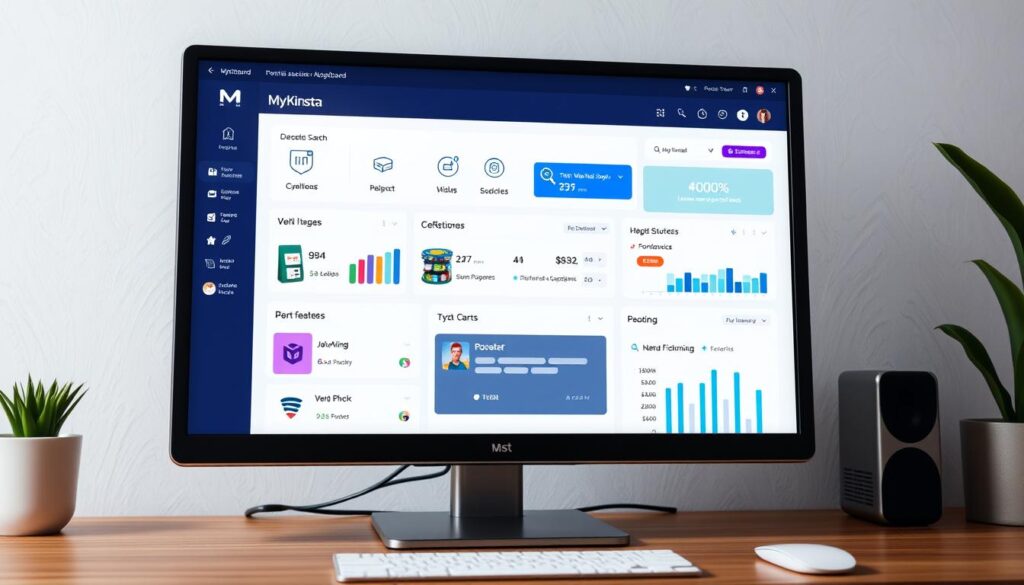
Managing multiple WordPress sites has never been easier, thanks to Kinsta’s intuitive MyKinsta dashboard. Kinsta built their dashboard from scratch, focusing on simplicity and straightforward navigation. The result is a clean, responsive, and well-designed interface that simplifies the management of your WordPress hosting.
MyKinsta Dashboard Features
The MyKinsta dashboard is packed with features that make managing your WordPress sites a breeze. One-click operations allow you to perform common tasks like creating backups, restoring sites, clearing cache, and managing redirects without needing technical knowledge. You also have access to comprehensive analytics for each site, including visitor statistics and performance metrics, all in one centralized location.
The dashboard’s design is uncluttered and minimalist, making it easy to navigate and find what you need. With Kinsta’s custom dashboard, you can manage multiple WordPress sites more efficiently than with traditional cPanel hosting.
Easy Site Management and Analytics
Kinsta’s MyKinsta dashboard simplifies site management with features like easy user permission controls. This allows you to grant specific access levels to team members or clients without sharing your main account credentials. The interface also includes built-in tools for managing DNS settings, SSL certificates, and CDN configuration through a simple visual interface.
With comprehensive analytics at your fingertips, you can monitor your site’s performance and make informed decisions. Whether you’re managing a single site or multiple sites, Kinsta’s MyKinsta dashboard provides the management capabilities you need to succeed.
Global Server Network with 37+ Data Centers
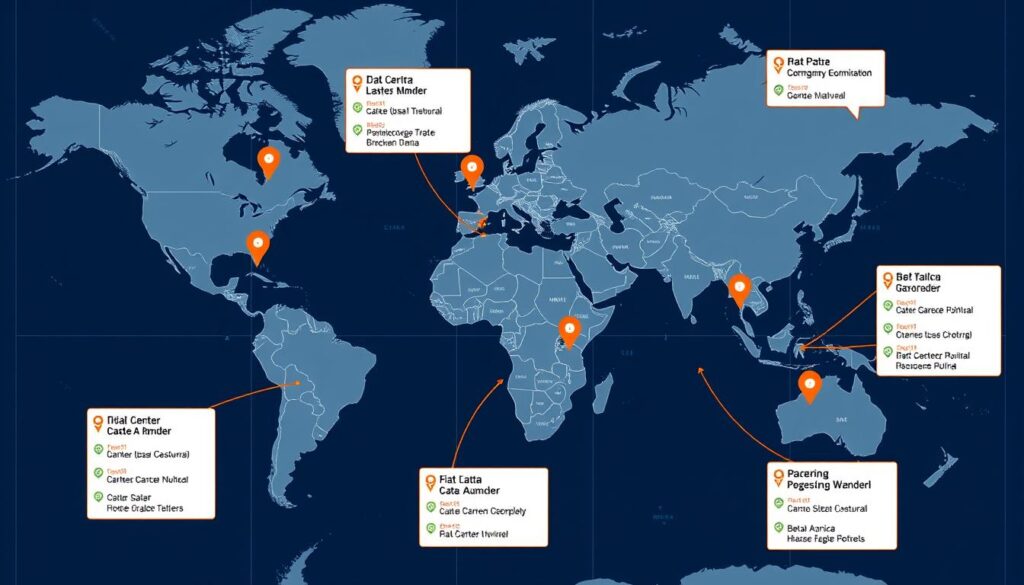
Kinsta’s global infrastructure is built on the Google Cloud Platform, offering a robust network of data centers worldwide. With 37+ data center locations across six continents, Kinsta allows you to host your WordPress site geographically close to your target audience, ensuring faster loading times and improved performance.
Strategic Server Locations
Kinsta’s strategic global server network minimizes latency by reducing the physical distance data needs to travel. By hosting your website on a server closer to your audience, you can significantly improve page load times and overall user experience. This is particularly beneficial for international audiences, as it results in measurable performance improvements.
Free CDN with 260+ Points of Presence
Your site benefits from Kinsta’s free Cloudflare CDN integration, which includes 260+ points of presence worldwide. This means that your static content is cached and delivered from the server closest to each visitor, further enhancing your site’s speed and performance. The combination of Kinsta’s distributed data centers and extensive CDN coverage ensures consistent performance regardless of traffic spikes or visitor location.
By leveraging the Google Cloud Platform’s premium tier network, Kinsta routes traffic through Google’s private fiber optic cables, ensuring faster and more reliable connections. This infrastructure, combined with Kinsta’s global server presence, provides a hosting solution that is both fast and reliable.
Scalability for Growing Websites and Businesses
Scalability is a key benefit of Kinsta’s Managed WordPress Hosting, allowing your site to handle traffic surges and business growth seamlessly. Kinsta’s infrastructure is designed to scale with your business, ensuring that your website remains performant under increasing traffic.

Handling Traffic Surges
Kinsta’s containers run on Google’s load-balanced platform, automatically absorbing short traffic spikes to the plan’s limit. For very sudden surges, such as viral posts, Edge Caching can dramatically smooth the traffic load, preventing your site from crashing during peak moments.
Key benefits include: Kinsta’s infrastructure is designed to scale seamlessly with your business growth, allowing your site to handle increasing traffic without performance degradation. The platform automatically manages traffic surges, preventing site crashes.
Flexible Plan Options for Different Business Needs
Kinsta offers specialized plans optimized for different business needs, including WooCommerce stores, membership sites, and high-traffic content publishers. You can easily upgrade between plans as your needs evolve, with no migration required and zero downtime.
Flexible plan options enable you to accurately budget for hosting as your business scales, with transparent pricing and no hidden costs. This flexibility ensures that your hosting solution grows with your business.
Conclusion: Is Kinsta Worth the Investment?
In conclusion, Kinsta’s Managed WordPress Hosting stands out as a premium service that offers unparalleled performance and reliability. With its Google Cloud-powered architecture, Kinsta delivers tangible benefits, including faster page load times, better SEO rankings, higher conversion rates, and an improved user experience that directly impacts your bottom line.
While Kinsta’s pricing may be higher than that of basic shared hosting providers like Flywheel or Siteground, the included features such as daily backups, security monitoring, CDN integration, and expert support eliminate the need for multiple third-party services. For businesses that rely on their website for revenue generation, the cost of Kinsta hosting is often offset by increased conversions, reduced bounce rates, and the elimination of lost sales during downtime or slow performance periods.
Kinsta is ideal for various types of users, including growing blogs and businesses seeking performance headroom, e-commerce and membership sites that require stability and speed for conversions, digital agencies managing multiple client sites, and high-scale applications built on WordPress or headless WordPress front-ends. The platform’s scalability makes it suitable for growing businesses, as it can accommodate increasing traffic and complexity without requiring migration to different hosting environments as your needs evolve.
The comprehensive toolset provided by Kinsta, including staging environments, one-click backups, and performance monitoring, ensures that both technical and non-technical users have everything needed to maintain a high-performing WordPress site. By investing in Kinsta’s Managed WordPress Hosting, you are investing in a robust infrastructure that is specifically optimized for WordPress, ensuring superior security and support.
In summary, Kinsta represents a premium investment in your website’s infrastructure, offering superior performance, security, and support. If you prioritize a high-quality hosting experience and are willing to invest in your website’s success, Kinsta is undoubtedly worth considering.

