
Table of Contents
As a blogger, your website’s performance is crucial to attracting and retaining readers. With so many hosting providers available, choosing the right one can be overwhelming. Our comprehensive guide analyzes the top WordPress hosting plans tailored for bloggers in 2025, helping you make an informed decision based on performance metrics, features, and value.
With 5 years of historical performance data collected from extensive testing, we provide reliable insights to help you select the best hosting company for your needs. We evaluate site speed, uptime reliability, and load handling capabilities to ensure you get the best hosting for your WordPress site.
Key Takeaways
- Discover the top WordPress hosting plans for bloggers in 2025.
- Learn how to choose the best hosting provider based on performance metrics.
- Understand the importance of site speed, uptime, and load handling capabilities.
- Find the best balance of performance, security tools, and customer support.
- Get insights from 5 years of historical performance data.
Why Choosing the Right WordPress Hosting Matters
The hosting you choose for your WordPress site directly affects its speed, security, and reliability. Your website’s performance is crucial for providing a good user experience, improving SEO rankings, and increasing conversion rates.
The Impact of Hosting on Website Performance
Your hosting provider’s quality significantly impacts your WordPress site’s performance. A fast and reliable host ensures that your site loads quickly, even during traffic spikes. This is critical because slow-loading websites can lead to high bounce rates and negatively impact your search engine rankings.
Key performance metrics include Time to First Byte (TTFB) speed, uptime, and load handling. TTFB speed measures how quickly your server responds to a user’s request, while uptime refers to the percentage of time your website is accessible. Load handling is also crucial, as it determines how well your site performs under heavy traffic.
Key Factors to Consider When Selecting WordPress Hosting
When choosing a WordPress hosting provider, several factors come into play. These include uptime reliability, security features, customer support, and scalability. Uptime reliability ensures your website remains accessible to visitors at all times. Top hosting providers offer uptime guarantees of 99.9% or higher.
| Factor | Description | Importance |
|---|---|---|
| Uptime Reliability | Ensures your website is always accessible | High |
| Security Features | Protects your site from malware and threats | High |
| Customer Support | Provides assistance with technical issues | Medium |
| Scalability | Accommodates growing traffic and content | Medium |
Security features vary significantly between hosting plans, with managed WordPress hosting typically offering enhanced security measures. Customer support quality is also vital, especially for bloggers without technical expertise. Scalability is essential for growing blogs, as your hosting plan should accommodate increasing traffic and content without requiring frequent migrations.
How We Evaluated the Top WordPress Hosting Providers
We analyzed numerous WordPress hosting providers based on their performance metrics, pricing, and overall value to determine the top hosting services for WordPress users.
Our Testing Methodology
Our comprehensive evaluation process involved rigorous testing of each WordPress hosting provider over a 12-month period. We collected over 525,600 data points to ensure accurate performance assessment. Our test sites were pinged every 60 seconds to gather detailed information on their performance. Each hosting provider was tested using identical WordPress installations with similar themes and plugins to create a level playing field for performance comparison.

Performance Metrics Explained
To find the best WordPress hosting, we measured what actually matters: how fast the site loads (TTFB speed), how often it stays online and goes down (Uptime), and how it handles traffic spikes (load handling). Our rankings were based on an overall performance score, with TTFB speed accounting for 40%, uptime reliability for 40%, and load handling capability for 20%. We considered factors such as server response time, uptime percentage, and the ability to handle increased traffic without compromising site speed.
Pricing Considerations
Pricing considerations went beyond introductory rates to analyze renewal costs, contract length requirements, and the overall value provided at different price points. We evaluated the cost-effectiveness of each hosting plan, considering the features and services included. Our analysis helped identify the best value for money among the top WordPress hosting providers.
Understanding Different Types of WordPress Hosting
The type of hosting you choose for your WordPress site can significantly impact its speed and reliability. With various hosting options available, it’s essential to understand the differences to make an informed decision.
Shared Hosting vs. Managed WordPress Hosting
Shared WordPress hosting is a cost-effective option where multiple websites share resources on a single server. This setup is ideal for small blogs or beginners, typically costing between $2-5 per month. However, during traffic spikes, shared hosting can lead to performance issues.
Managed WordPress hosting, on the other hand, provides a specialized environment optimized for WordPress. It includes features like automatic updates, enhanced security, and expert support. Although it’s more expensive, starting at $20-30 per month, it’s a worthwhile investment for those seeking better performance and security.
Cloud Hosting and VPS Options
Cloud-based WordPress hosting offers superior scalability by distributing your site across multiple virtual servers. This setup allows for immediate resource allocation during traffic surges, improving reliability and performance. It’s a good choice for sites expecting variable traffic.
Virtual Private Server (VPS) hosting provides dedicated resources within a shared server environment. It offers a middle ground between shared and dedicated hosting in terms of performance and price. VPS hosting is suitable for growing sites that need more resources than shared hosting can offer.
Dedicated Hosting for High-Traffic WordPress Sites
Dedicated WordPress hosting allocates an entire physical server to your website, delivering maximum performance and security. This option is ideal for high-traffic blogs and business sites that require premium resources. Although it’s the most expensive option, starting at $100+ per month, it provides the highest level of control and security.
Understanding these different hosting types will help you select the most appropriate solution for your WordPress blog’s current needs and future growth.
WP Engine: Best for High-Performance WordPress Hosting

WP Engine has established itself as a leader in the WordPress hosting landscape, particularly for those prioritizing performance. With a strong focus on delivering high-speed and reliable hosting solutions, WP Engine is an ideal choice for serious WordPress bloggers and businesses.
Overview
WP Engine is renowned for its managed WordPress hosting services, offering a comprehensive suite of features designed to optimize website performance. With an impressive track record of delivering elite performance metrics, WP Engine is a top choice for high-traffic WordPress sites.
Performance Metrics
WP Engine consistently delivers elite performance metrics, including an average Time to First Byte (TTFB) of 354ms and near-perfect uptime of 99.99%. Their exceptional load handling capacity of just 19ms response time during traffic spikes outperforms other WordPress hosting providers.
Key Features
WP Engine offers a range of features that enhance the performance and security of WordPress sites. These include automated backups stored for up to 30 days, staging environments, development tools, and global data center locations. Security is also a priority, with Layer 3+4 DDoS protection, automatic WordPress updates, and advanced security fixes.
Pros
The pros of using WP Engine include its exceptional performance, comprehensive managed WordPress hosting features, and robust security measures. WP Engine’s ability to handle high traffic and large volumes of data makes it an ideal choice for businesses and high-traffic blogs.
Cons
One of the main drawbacks of WP Engine is its pricing structure, which starts at $23/month for the Startup plan and scales up to $730/month for high-traffic sites. This makes it less suitable for hobby bloggers or websites with minimal traffic.
Pricing Plans
WP Engine offers a range of pricing plans to suit different needs. The Startup plan supports 25,000 monthly visits, while the higher-tier plans offer increased support for larger traffic volumes. The pricing structure is designed to accommodate growing businesses and high-traffic WordPress sites.
Who Should Choose WP Engine
WP Engine is best suited for serious WordPress bloggers, business sites, high-traffic blogs, WooCommerce stores, and mission-critical WordPress applications where performance and reliability are paramount. If your website requires high performance and robust security, WP Engine is an excellent choice.
SiteGround: Best All-Purpose WordPress Hosting
With its robust infrastructure and user-friendly interface, SiteGround offers one of the best all-purpose WordPress hosting plans available. Whether you’re a beginner or an experienced developer, SiteGround’s versatile hosting solutions cater to a wide range of needs.
Overview
SiteGround is built on Google Cloud infrastructure, providing superior reliability and speed for WordPress sites of all sizes. Their WordPress-specific features include an intuitive site setup wizard, automatic updates, staging environments, and WordPress-optimized caching that enhances site performance.
Performance Metrics
SiteGround delivers exceptional performance metrics, including 100% uptime and fast page load times averaging 397ms. These metrics are crucial for ensuring that your WordPress site provides a seamless user experience.
Key Features
The hosting plans come with a range of features, including free SSL certificates, daily backups, real-time monitoring, and a custom Web Application Firewall designed to protect WordPress sites. Additionally, SiteGround offers exceptional 24/7 customer support with WordPress experts available via live chat, phone, and ticket system.
Pros
Exceptional Performance: With 100% uptime and fast page loads, SiteGround ensures that your WordPress site performs optimally. Robust Security Features: Free SSL certificates, daily backups, and a custom Web Application Firewall provide comprehensive security. User-Friendly Interface: The intuitive site setup wizard and guided WordPress setup process make it ideal for beginners.
SiteGround also offers advanced tools like WP-CLI and SSH access for experienced users, making it a versatile choice for a wide range of users.
Cons
One of the main limitations is storage space, with the entry-level plan offering just 10GB. This may require upgrading as your blog grows. Additionally, while the introductory pricing is competitive, renewal rates increase significantly.
Pricing Plans
SiteGround’s pricing plans start at $2.99/month for the StartUp plan, though renewal rates increase to around $14.99/month after the initial period. The plans are designed to accommodate different needs, from personal blogs to business websites.
Who Should Choose SiteGround
SiteGround is particularly well-suited for beginners thanks to its user-friendly interface and guided WordPress setup process. It’s also a good choice for experienced users who require advanced tools and superior performance. Whether you’re launching a new site or migrating an existing one, SiteGround offers a reliable and feature-rich hosting solution.
Hostinger: Best Budget-Friendly WordPress Hosting
Hostinger emerges as a leading provider in the realm of budget WordPress hosting, offering exceptional value for bloggers and small businesses. With plans starting at just $2.99/month, Hostinger provides industry-leading renewal rates that remain affordable long-term, making it an attractive option for those on a budget.
Overview
Hostinger’s budget-friendly WordPress hosting plans are designed to provide reliable performance without breaking the bank. Their LiteSpeed-powered servers and built-in caching ensure good performance for the price point, while features like an intuitive hPanel control panel and guided WordPress installation make it user-friendly.
The hosting provider stands out by allowing multiple websites even on entry-level plans, with the Premium plan supporting up to 25 websites. This flexibility is particularly beneficial for content creators managing multiple WordPress sites.
Performance Metrics
Hostinger’s performance metrics demonstrate its reliability and speed. Key statistics include:
- Average TTFB (2025): 491ms – Strong Performance
- Uptime (2025): 99.99% – Excellent Reliability
- Load Handling: 247ms – Average Performance
Key Features
Hostinger’s WordPress hosting includes a range of features that enhance user experience and site security. These include:
- Intuitive hPanel control panel
- Guided WordPress installation
- AI website builder tools
- Website migration tool for seamless transfers
- Free SSL certificates
- DDoS protection
- Specialized WordPress vulnerabilities scanner
Pros
Hostinger offers several advantages that make it an attractive choice for budget-conscious WordPress users. These include:
- Exceptional value: Plans start at $2.99/month with affordable renewal rates.
- Strong performance: Average TTFB of 491ms and 99.99% uptime in 2025.
- Multiple website hosting: Even entry-level plans allow for multiple sites.
- User-friendly features: Intuitive control panel, guided installation, and AI website builder.
- Robust security: Free SSL, DDoS protection, and WordPress vulnerabilities scanner.
Cons
While Hostinger offers many benefits, there are some limitations to consider:
- Limited customer support: Support is available only through live chat, with no phone support.
- Average load handling: Load handling performance is average compared to premium hosting options.
Pricing Plans
Hostinger’s pricing plans are designed to be budget-friendly, with costs starting at $2.99/month. The provider offers competitive renewal rates, ensuring that costs remain manageable over time.
Who Should Choose Hostinger
Hostinger is an ideal choice for:
- Beginners: Those new to WordPress will appreciate the user-friendly features and guided installation.
- Small business bloggers: Affordable plans and multiple website hosting make it suitable for small businesses.
- Content creators managing multiple sites: The ability to host multiple websites on a single plan is particularly beneficial.
GreenGeeks: Best Eco-Friendly WordPress Hosting

GreenGeeks stands out in the crowded WordPress hosting market with its commitment to environmental sustainability. As an eco-conscious blogger, you can benefit from their innovative approach to hosting. GreenGeeks powers its servers with 300% renewable energy, making it an attractive option for those who want to reduce their carbon footprint.
Overview
GreenGeeks is not just an environmentally friendly hosting provider; it also offers robust performance and user-friendly features. Their commitment to sustainability is evident in their operations, where they focus on reducing environmental impact without compromising on service quality.
Performance Metrics
GreenGeeks boasts impressive performance metrics, including an average Time to First Byte (TTFB) of 417ms, indicating strong performance. Their uptime stands at 99.98%, ensuring high reliability for your WordPress site.
Key Features
Their simplified dashboard streamlines cPanel functionality, making it easier for users to manage WordPress installations, staging sites, SSL certificates, and email accounts. GreenGeeks also includes performance-enhancing features like built-in caching, CDN compatibility, and SSD storage.
Pros
One of the significant advantages of GreenGeeks is its eco-friendly approach. Additionally, their performance metrics are commendable, with fast page loading times and reliable uptime. The user-friendly dashboard and comprehensive security features, including real-time security scanning and free SSL certificates, add to their appeal.
Cons
While GreenGeeks excels in many areas, it lacks an integrated CDN, which might affect global site performance for blogs targeting international audiences. This limitation is crucial to consider if your audience is spread across different regions.
Pricing Plans
GreenGeeks offers competitive pricing, with plans starting at $2.95/month for a single site (Lite plan). The Pro plan at $4.95/month offers unlimited websites with 50GB storage. For $9.95/month, the Business plan provides additional features and resources.
Who Should Choose GreenGeeks
GreenGeeks is an excellent choice for eco-conscious bloggers who want to reduce their environmental impact. It’s also suitable for beginners due to its user-friendly interface and robust support features. If you’re looking for a reliable and sustainable hosting solution, GreenGeeks is worth considering.
Cloudways: Best Cloud-Based WordPress Hosting

Cloudways is redefining the WordPress hosting landscape with its managed cloud hosting services. By partnering with five major cloud providers (DigitalOcean, Vultr, Linode, AWS, and Google Cloud), Cloudways offers a unique blend of flexibility, performance, and scalability.
Overview
Cloudways provides a managed cloud hosting solution that is designed to meet the needs of WordPress users who require high performance and reliability. With plans starting at just $11/month, Cloudways offers an affordable entry point into the world of cloud hosting.
Performance Metrics
Cloudways boasts impressive performance metrics, including an average Time to First Byte (TTFB) of 441ms, indicating strong performance. The platform also achieves an uptime of 99.99%, ensuring excellent reliability. Additionally, Cloudways handles loads efficiently, with a load handling time of 128ms.
Key Features
The Cloudways platform includes several key features that enhance the WordPress hosting experience. These include a custom control panel that simplifies server management, a proprietary Breeze caching plugin for performance optimization, and the ability to scale server resources according to demand.
Pros
One of the significant advantages of Cloudways is its flexibility and scalability. Users can easily scale their server resources up or down as needed, making it an ideal choice for sites experiencing variable traffic. Additionally, Cloudways allows for unlimited websites on its entry-level plan, making it economical for bloggers managing multiple WordPress sites.
The custom control panel and Breeze caching plugin are other notable features that enhance performance and simplify management. Cloudways also offers a high level of reliability and performance, making it suitable for growing blogs and small business websites.
Cons
While Cloudways offers many benefits, it may require a slightly higher level of technical knowledge compared to traditional shared hosting providers. This can be a barrier for complete beginners. However, for those with some experience or willingness to learn, Cloudways provides a robust and flexible hosting solution.
Pricing Plans
Cloudways offers competitive pricing, with plans starting at $11/month. The pricing is based on the cloud provider chosen and the resources required. This flexibility in pricing allows users to select a plan that closely matches their needs, potentially reducing costs.
Who Should Choose Cloudways
Cloudways is an excellent choice for growing blogs transitioning from shared hosting, small business websites requiring better performance, and developers managing multiple client sites. Its flexibility, scalability, and performance make it suitable for a wide range of WordPress hosting needs.
Kinsta: Best for Managed WordPress Hosting

Kinsta stands out as a premium managed WordPress hosting solution, leveraging Google Cloud infrastructure for exceptional performance. As a leading provider, Kinsta is designed to meet the needs of demanding WordPress sites, offering a robust platform that prioritizes speed, security, and scalability.
Overview
Kinsta’s managed WordPress hosting is built on Google Cloud’s powerful infrastructure, providing a high-performance environment for your WordPress site. With a strong focus on delivering exceptional user experiences, Kinsta incorporates advanced technologies and expert support to ensure your website operates at peak levels.
Performance Metrics
Kinsta’s performance metrics demonstrate its commitment to excellence, with an overall score of 8.2/10. Key highlights include an average Time to First Byte (TTFB) of 446ms and an uptime of 99.96% in 2025, showcasing its reliability and speed.
Key Features
Kinsta’s hosting plans include access to all 37 Google Cloud global data center locations, allowing you to host your site closest to your target audience. Additionally, Kinsta provides a proprietary Application Performance Monitoring (APM) tool at no extra cost, helping you identify and resolve performance bottlenecks.
Pros
Kinsta offers several advantages that make it an attractive choice for WordPress hosting. Its infrastructure utilizes top-tier Google Cloud C3D and C2 servers, providing superior hardware performance. Security features include automatic backups, malware scanning, DDoS protection, and a premium security guarantee with free hack fixes if your site is compromised.
The service also boasts elite load handling capability, with a load handling time of 27ms, ensuring that your site remains responsive even under heavy traffic. Furthermore, Kinsta’s expert support team is available to assist with any issues, providing peace of mind for site owners.
Cons
While Kinsta offers a robust hosting solution, there are some considerations to keep in mind. Pricing starts at $30/month after a free first month for the Single plan, which may be a step up for very small sites or personal blogs on tight budgets. However, the value proposition lies in its performance and security features.
Pricing Plans
Kinsta’s pricing is structured to accommodate different levels of traffic and site requirements. The Single plan starts at $30/month and supports up to 35,000 monthly visits. Other plans are available for higher traffic sites, ensuring that you can scale your hosting as your site grows.
Who Should Choose Kinsta
Kinsta is ideal for resource-intensive WordPress applications, membership sites, online stores, and professional bloggers who require exceptional performance and specialized WordPress support. If your site demands high performance, security, and scalability, Kinsta’s managed WordPress hosting is a strong contender.
Rapyd Cloud: Best for High-Traffic WordPress Sites
Rapyd Cloud is designed to handle high-traffic WordPress sites with ease and efficiency. Their managed WordPress hosting solutions are tailored to meet the demands of sites with numerous concurrent users.
Overview
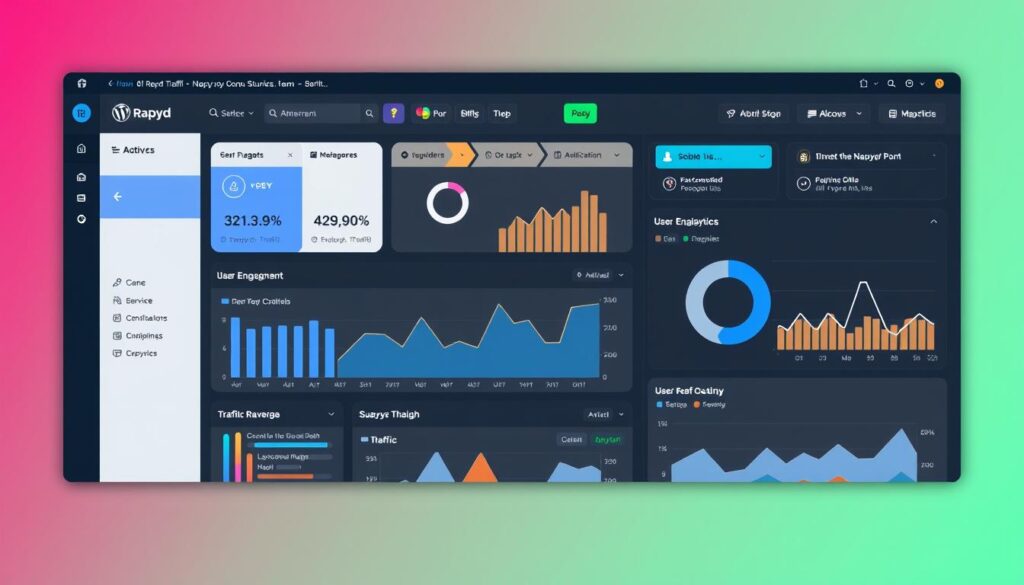
Rapyd Cloud specializes in high-performance managed WordPress hosting, optimized for sites with high traffic and many concurrent logged-in users, such as membership sites and online courses. Their infrastructure is designed to deliver exceptional concurrency handling, ensuring your WordPress site remains responsive even during traffic spikes.
Performance Metrics
Rapyd Cloud’s infrastructure boasts an average response time of just 8.5ms under load, making it an ideal choice for sites with high user interaction. This performance metric is crucial for maintaining a seamless user experience.
Key Features
Every Rapyd Cloud plan includes premium features such as Object Cache Pro, a global CDN, and advanced staging environments. These features enhance the performance and reliability of your WordPress site.
Pros
Rapyd Cloud offers several advantages, including enterprise-grade security with proactive malware scanning and advanced DDoS protection. Their support system combines private Slack channels for direct access to WordPress experts and fast live chat support, ensuring multiple channels for urgent assistance.
The platform is particularly well-suited for WooCommerce stores, membership sites, and learning management systems, where performance under concurrent user load is critical. With pricing starting at $29/month for a single site, Rapyd Cloud positions itself as a premium managed WordPress hosting solution with enterprise features at mid-range pricing.
Cons
While Rapyd Cloud excels in many areas, its page load time of 958ms is higher than some competitors. However, the exceptional response time under load makes it a superior choice for sites with high user interaction.
Pricing Plans
Rapyd Cloud’s pricing starts at $29/month for a single site, with 10GB of disk space. Their plans are designed to accommodate the needs of high-traffic WordPress sites, offering scalability and flexibility.
Who Should Choose Rapyd Cloud
If you manage a high-traffic WordPress site, such as a membership site, online course, or WooCommerce store, Rapyd Cloud is an excellent choice. Their managed WordPress hosting solutions are designed to handle the demands of sites with numerous concurrent users, ensuring a responsive and secure user experience.
DreamHost: Best for Small Business WordPress Sites

With over 20 years in the industry, DreamHost has established itself as a trustworthy hosting solution for small business WordPress sites. DreamHost’s managed WordPress hosting services provide a solid foundation for businesses looking to establish a strong online presence.
Overview
DreamHost is officially recommended by WordPress.org and has built a reputation for reliability. Their WordPress hosting plans are designed to meet the needs of small businesses, offering a balance of performance, security, and ease of use.
Performance Metrics
DreamHost’s performance testing shows impressive results, with page load times averaging 439ms and an uptime reliability of 99.82%. These metrics indicate that DreamHost can provide the speed and reliability that small businesses need for their WordPress sites.
Key Features
DreamHost offers a range of features that benefit small businesses, including a free domain name with privacy protection, automated daily backups, and unlimited traffic allowances. Their WordPress-specific optimizations include pre-installed WordPress, automatic core updates, and built-in caching, all of which enhance site performance without requiring technical expertise.
Pros
DreamHost’s strengths include its comprehensive security features, such as free SSL certificates, malware scanning, and DDoS protection, which are included on all plans. Their custom control panel is designed to be intuitive for beginners while still offering advanced functionality for growing businesses. Additionally, DreamHost’s pricing starts at $16.95/month for managed WordPress hosting with 30GB storage, making it a mid-range option with good value for small businesses.
Cons
While DreamHost offers a robust set of features, some users may find that the lack of certain advanced customization options could be a limitation. However, for most small businesses, the available features and performance will likely outweigh these considerations.
Pricing Plans
DreamHost’s pricing is competitive, starting at $16.95/month for their managed WordPress hosting plan. This plan includes 30GB of storage and is designed to provide a good balance between price and performance for small businesses.
Who Should Choose DreamHost
DreamHost is particularly well-suited for small business owners who want reliable WordPress hosting with good performance, strong security, and straightforward management tools without requiring technical expertise. If you’re looking for a trustworthy hosting provider that can support your business as it grows, DreamHost is a solid choice.
WordPress.com: Best for Beginners and Bloggers

WordPress.com stands out as a top choice for bloggers and beginners, offering a comprehensive hosting solution that’s easy to use. As a fully managed WordPress hosting platform created by Automattic, the company behind WordPress, it provides a seamless experience specifically designed for those new to blogging.
Overview
WordPress.com eliminates technical complexities by handling all server management, security updates, and WordPress core updates automatically. This allows beginners to focus entirely on content creation without worrying about the technical aspects of maintaining a website.
Performance Metrics
The performance metrics of WordPress.com show good results, with page load times averaging 636ms and excellent uptime at 99.95%. This ensures that your blog remains accessible and loads quickly for visitors, providing a good user experience.
Key Features
WordPress.com includes an intuitive dashboard designed specifically for content creators, featuring built-in analytics, commenting systems, and social sharing tools. These features simplify blog management, allowing you to concentrate on producing high-quality content.
Pros
The Business plan ($12.50/month) on WordPress.com allows for the installation of custom themes and plugins, providing the flexibility of self-hosted WordPress with the convenience of managed hosting. Additionally, security is comprehensive, with automatic backups, malware scanning, and spam protection included on all plans. This protects your blog without requiring technical knowledge, making it an ideal choice for beginners.
Other advantages include a free domain with paid plans and 50GB of disk space that’s upgradable as needed. The platform is designed to simplify the blogging experience, making it accessible to those who are new to website management.
Cons
One of the main limitations of WordPress.com is that lower-tier plans restrict plugin installation and customization options. To enjoy full WordPress functionality, you’ll need to opt for at least the Business plan. This could be a consideration for those who want more control over their site’s customization.
Pricing Plans
WordPress.com offers various pricing plans to suit different needs, starting from $12.50/mo for the Business plan. The plans are designed to be scalable, allowing you to upgrade as your blog grows. This flexibility makes it an attractive option for bloggers who anticipate expansion.
Who Should Choose WordPress.com
WordPress.com is ideal for beginners, hobby bloggers, and content creators who want to focus on writing rather than technical website management. If you’re looking for a hassle-free hosting experience that still offers the flexibility to customize your site, WordPress.com is a great choice.
Rocket.net: Best for Speed and Performance

Experience unparalleled speed with Rocket.net, the go-to hosting for performance-critical WordPress sites. Rocket.net is designed to deliver exceptional performance through its innovative cloud-edge network and integrated enterprise CDN.
Overview
Rocket.net’s managed WordPress hosting is engineered for speed, leveraging a unique cloud-edge network that integrates an enterprise CDN. This results in impressive page load times averaging 448ms and an outstanding average response time of just 3ms.
Their infrastructure is optimized for performance, distributing your WordPress site across 200+ global edge locations. This ensures fast loading times for visitors worldwide, making Rocket.net ideal for global audiences.
Performance Metrics
Rocket.net’s performance metrics are impressive, with page load times and response times that outperform many competitors. Their infrastructure achieves high uptime and fast data delivery.
Key Features
Key features include enterprise-level Cloudflare integration with full page caching at the edge, automatically optimizing your WordPress site for speed. Security features are comprehensive, with enterprise-grade WAF, malware scanning, and automatic backups.
Pros
Rocket.net offers several advantages, including exceptional speed, robust security features, and a user-friendly control panel. Their architecture ensures high performance and reliability.
The control panel simplifies WordPress management with one-click installations, staging environments, and intuitive site management tools, making it easy to manage your site.
Cons
While Rocket.net offers many benefits, it starts at $25/month for a single site, which may be a consideration for those on a tight budget. Additionally, it doesn’t include a free domain, which is an extra cost.
Pricing Plans
Rocket.net’s pricing starts at $25/month for a single site, with 10GB of disk space. This positions Rocket.net as a premium managed WordPress hosting solution focused on maximum performance.
Who Should Choose Rocket.net
Rocket.net is ideal for speed-critical WordPress sites, business websites where performance impacts conversion rates, and blogs with global audiences requiring fast loading times worldwide. If your site demands high performance, Rocket.net is a top choice.
Top 10 Hosting Plans for WordPress Bloggers in 2025: Comparison Table
The right WordPress hosting can significantly impact your website’s performance, making it crucial to evaluate the top options. This comprehensive comparison table provides a side-by-side analysis of the top 10 WordPress hosting plans for bloggers in 2025, helping you quickly identify which provider best matches your specific needs.
Performance Comparison
Performance metrics are compared across all providers, with WP Engine leading in TTFB speed (354ms) and load handling (19ms). Hostinger and Cloudways tie for best uptime reliability at 99.99%. When it comes to website performance, these metrics are crucial for ensuring your site remains accessible and responsive to users.
The performance comparison highlights the strengths of each hosting provider. For instance, WP Engine’s superior TTFB speed ensures that your website loads quickly, improving user experience and search engine rankings.
Pricing Comparison
Pricing comparison reveals Hostinger as the most budget-friendly option starting at $2.99/month, while WP Engine represents the premium end at $23/month. Various mid-range options like GreenGeeks ($2.95/month) and Cloudways ($11/month) offer a balance between cost and features.
When evaluating hosting plans, pricing is a critical factor. It’s essential to consider not only the initial cost but also renewal pricing and the value provided by each hosting service.
Feature Comparison
The feature comparison highlights unique selling points such as GreenGeeks’ eco-friendly approach, Kinsta’s 37 global data centers, Cloudways’ multi-cloud flexibility, and Rocket.net’s enterprise CDN integration. Additionally, support options vary significantly, with SiteGround offering the most comprehensive support.
When choosing a WordPress hosting provider, consider the features that matter most to you, such as uptime, support, and scalability. This comparison should help you make an informed decision.
How to Migrate Your WordPress Site to a New Host
Switching to a new WordPress hosting provider can significantly enhance your site’s performance and security. Whether you’re looking for better speed, improved customer support, or more robust features, migrating your WordPress site to a new host can be a great decision. However, the migration process requires careful planning to avoid downtime and data loss.
Manual Migration Process
The manual migration process involves several technical steps, including exporting your database, copying all WordPress files to the new host, configuring the new hosting environment, and updating DNS settings. This method requires technical knowledge but offers complete control over the migration process.
To manually migrate your site, start by backing up your WordPress database using tools like phpMyAdmin. Then, use an FTP client to transfer your WordPress files to the new host. After configuring the new hosting environment, update your wp-config.php file with the new database credentials. Finally, update your DNS settings to point your domain to the new host.
Using Migration Plugins
For those who prefer a more streamlined process, WordPress migration plugins like Duplicator, All-in-One WP Migration, and UpdraftPlus can simplify the migration. These plugins create packaged backups of your entire site, which can be easily imported to the new host.
To use a migration plugin, first, install and activate the plugin on your current site. Create a backup package, which typically includes your database, theme files, plugins, and uploads. Then, download this package and upload it to your new host. Follow the plugin’s instructions to complete the migration, which usually involves configuring the new database settings and updating site URLs.

Professional Migration Services
Many premium hosting providers offer free or low-cost professional migration services. Companies like SiteGround, WP Engine, and Kinsta handle the entire migration process for you, ensuring a smooth transition with minimal downtime.
To use a professional migration service, sign up with the new hosting provider and request their migration service. Provide access to your current hosting account, and the provider’s team will handle the migration. This option is particularly beneficial for beginners or businesses with critical websites, as it minimizes the risk of data loss and downtime.
| Migration Method | Technical Knowledge Required | Time Required | Cost |
|---|---|---|---|
| Manual Migration | High | Several Hours to Days | Free |
| Migration Plugins | Medium | Several Hours | Free to Premium |
| Professional Migration Services | Low | Varies by Provider | Free to Low-Cost |
Conclusion
The right WordPress hosting can make or break your website’s performance and user experience. As you’ve seen from our top recommendations for 2025, there’s a hosting solution to suit every need and budget.
Whether you’re a professional blogger looking for high-performance hosting like WP Engine or a budget-conscious beginner who’ll thrive with Hostinger‘s affordable plans, the key is to match your hosting to your specific requirements.
Consider factors like expected traffic volume, technical expertise, and growth projections when making your decision. Many hosts offer money-back guarantees, allowing you to test their services before committing long-term.
Ultimately, the best WordPress hosting for you will balance performance, support, and cost. By choosing wisely, you’ll lay a solid foundation for your website’s success and ensure a great experience for your visitors.

