

Table of Contents
As a business owner, you’re likely no stranger to the importance of having a reliable and high-performance website. With the rise of managed WordPress hosting, providers like Kinsta have become popular choices. However, you might be looking for alternatives that better suit your business needs.
Choosing the right hosting provider is crucial for your website’s performance, security, and overall user experience. While Kinsta is an excellent option, there are valid reasons why you might need to explore other choices. This article will introduce you to the top Kinsta alternatives, carefully selected based on their features, support quality, and value for money.
Key Takeaways
- Discover the top alternatives to Kinsta for managed WordPress hosting.
- Learn how to choose the best hosting provider for your business needs.
- Understand the key factors that impact website performance and security.
- Explore the features, pricing, and pros and cons of each alternative.
- Find the perfect hosting solution that meets your specific needs and budget.
Why Businesses Look for Kinsta Alternatives
In the dynamic landscape of web hosting, businesses often reassess their needs, leading some to consider alternatives to Kinsta’s managed WordPress hosting. As your business grows, you may find that your current hosting provider no longer meets your requirements.
Pricing Concerns
One of the primary reasons businesses seek Kinsta alternatives is due to pricing concerns. As your website grows, the costs associated with Kinsta’s services can escalate. You might find that the upgrade path is expensive compared to some alternatives. Here are a few pricing-related issues:
- Kinsta’s per-site pricing model can become costly for companies managing multiple websites.
- Businesses with fluctuating traffic patterns may find Kinsta’s pricing structure less competitive.
- Some alternatives offer more flexible pricing plans that can better accommodate your business needs.
Feature Limitations
Beyond pricing, some businesses look for Kinsta alternatives due to feature limitations. While Kinsta offers a robust set of features, certain businesses require more flexibility in resource allocation. You might need:
- More customizable hosting plans to suit your specific needs.
- Additional features not currently offered by Kinsta, such as enhanced staging environments or more extensive developer tools.
- Better integration with other services and tools you use.
Scalability Issues
Scalability is another critical factor that can drive businesses to seek alternatives to Kinsta. While Kinsta is designed to handle high traffic, its scalability model might not be ideal for:
- Rapidly growing businesses that need to scale quickly.
- Businesses with seasonal traffic patterns that require more elastic scaling options.
- Companies that need to frequently adjust their hosting resources.
By considering these factors, you can make an informed decision about whether Kinsta or one of its alternatives is the best fit for your business’s web hosting needs.
What to Look for in Kinsta Alternatives
Finding the ideal Kinsta alternative involves a thorough examination of performance, support, security, and pricing structures. As you evaluate different hosting providers, consider the factors that will have the most significant impact on your website’s efficiency and scalability.
Performance and Speed
The performance and speed of your web hosting provider play a crucial role in user experience and search engine rankings. Look for a provider that utilizes high-performance servers and offers features like content delivery networks (CDNs) and caching to optimize your website’s loading times.
- Ensure the provider has a robust infrastructure with high uptime guarantees.
- Check if they offer scalable solutions to handle traffic spikes.
- Evaluate their server response times and overall speed.
Support Quality
High-quality support is essential for resolving issues quickly and minimizing downtime. Opt for a provider that offers 24/7 customer support through multiple channels, including live chat, phone, and email.
- Assess the responsiveness and expertise of their support team.
- Look for providers with comprehensive knowledge bases and community forums.
Security Features
Robust security features are vital for protecting your website from malware, DDoS attacks, and other threats. Ensure your chosen provider offers:
- SSL certificates for secure data transmission.
- Regular backups and easy restore options.
- Malware detection and removal tools.
Pricing Structure
Understanding the pricing structure of your chosen hosting provider is crucial for budgeting and cost management. Compare different pricing models, such as visitor-based and resource-based pricing, and consider the following:
- The importance of transparent pricing without hidden fees.
- The value proposition of different tiers and what you should expect at each price point.
- The scalability of pricing structures and how easily you can upgrade or downgrade as needed.
- The total cost of ownership, including included features versus add-ons that might incur additional costs.
By carefully evaluating these factors, you can select a Kinsta alternative that meets your business needs and supports your online success.
Top 10 Kinsta Alternatives for US Businesses
Discover the top Kinsta alternatives that can elevate your WordPress hosting experience. Whether you’re looking for better performance, enhanced security, or superior support, we’ve got you covered.
WP Engine
Key Features
WP Engine offers a range of features, including high-performance hosting, automated backups, and robust security measures.
Pricing
Their pricing plans are competitive, starting at $30/month for the Startup plan.
Pros and Cons
Pros include excellent performance and top-notch support. Cons might include the cost and limitations in customization.
Best For
WP Engine is ideal for businesses seeking reliable, high-performance WordPress hosting.
Flywheel
Key Features
Flywheel is known for its user-friendly interface and features like automated backups and SSL certificates.
Pricing
Pricing starts at $15/month for the Tiny plan, making it an affordable option.
Pros and Cons
Pros include ease of use and excellent support. Cons might include limited scalability.
Best For
Flywheel is best for freelancers and small businesses looking for straightforward WordPress hosting.
Cloudways
Key Features
Cloudways offers flexible cloud hosting with a range of features, including automated backups and 24/7 support.
Pricing
Pricing is based on the chosen cloud provider and server configuration, starting from $10/month.
Pros and Cons
Pros include flexibility and scalability. Cons might include complexity for beginners.
Best For
Cloudways is ideal for businesses seeking scalable and flexible hosting solutions.
Pressable
Key Features
Pressable offers managed WordPress hosting with features like automatic updates and robust security.
Pricing
Pricing starts at $25/month for the Personal plan.
Pros and Cons
Pros include excellent performance and support. Cons might include cost.
Best For
Pressable is best for businesses and individuals seeking high-quality WordPress hosting.
Liquid Web (Nexcess)
Key Features
Liquid Web offers managed WordPress hosting with features like automated backups and 24/7 support.
Pricing
Pricing varies based on the plan, starting at $29/month.
Pros and Cons
Pros include excellent support and performance. Cons might include cost and complexity.
Best For
Liquid Web is ideal for businesses seeking reliable and high-performance hosting.
SiteGround
Key Features
SiteGround offers WordPress hosting with features like free SSL certificates and 24/7 support.
Pricing
Pricing starts at $14.99/month for the StartUp plan.
Pros and Cons
Pros include excellent support and features. Cons might include renewal rates.
Best For
SiteGround is best for individuals and small businesses seeking reliable WordPress hosting.
Rocon
Key Features
Rocon offers agency-focused WordPress hosting with features like white-label options and multi-site management.
Pricing
Pricing is customized for agencies.
Pros and Cons
Pros include tailored solutions for agencies. Cons might include minimum requirements.
Best For
Rocon is ideal for agencies seeking customized WordPress hosting solutions.
Rocket.net
Key Features
Rocket.net offers managed WordPress hosting with a focus on performance and security.
Pricing
Pricing starts at $25/month for the Essential plan.
Pros and Cons
Pros include excellent performance and support. Cons might include cost.
Best For
Rocket.net is best for businesses seeking high-performance WordPress hosting.
WPX Hosting
Key Features
WPX Hosting offers managed WordPress hosting with features like high-performance servers and 24/7 support.
Pricing
Pricing starts at $25/month for the Personal plan.
Pros and Cons
Pros include excellent performance and support. Cons might include cost.
Best For
WPX Hosting is ideal for businesses and individuals seeking high-quality WordPress hosting.
Elementor WordPress Hosting
Key Features
Elementor WordPress Hosting offers a seamless hosting experience optimized for Elementor users, with features like pre-installed Elementor and automated updates.
Pricing
Pricing starts at $12.99/month for the Basic plan.
Pros and Cons
Pros include an optimized experience for Elementor users and ease of use. Cons might include limitations for non-Elementor users.
Best For
Elementor WordPress Hosting is best for individuals, businesses, and agencies building websites with Elementor, seeking a streamlined and optimized hosting experience.
Performance Comparison of Kinsta Alternatives
As you consider alternatives to Kinsta, understanding how they perform in terms of speed, uptime, and handling traffic spikes becomes essential. The right hosting provider can significantly enhance your website’s user experience and overall success.
Speed and Loading Times
Speed is a critical factor in user experience and SEO. Fast loading times can improve engagement and conversion rates. Different Kinsta alternatives achieve fast speeds through various means, such as optimized servers, caching, and content delivery networks (CDNs).
For instance, WP Engine and Cloudways are known for their high-performance capabilities, utilizing advanced caching and optimized server configurations to ensure rapid page loads. In contrast, some providers may rely on more traditional hosting setups that can result in slower loading times.
Uptime Reliability
Uptime is another crucial aspect of hosting performance. High uptime reliability ensures that your website remains accessible to users at all times. Most top-tier hosting providers, including SiteGround and Liquid Web (Nexcess), offer excellent uptime records, often above 99.9%.
When evaluating Kinsta alternatives, it’s essential to consider their infrastructure and redundancy measures. Providers that use multiple data centers and have robust failover systems tend to have better uptime reliability.
Handling Traffic Spikes
Handling sudden increases in traffic without performance degradation is vital for websites that experience variable or unpredictable traffic patterns. Auto-scaling solutions are particularly effective in this regard, as they dynamically allocate resources based on demand.
For example, hosting providers like Google Cloud and AWS offer auto-scaling capabilities that can handle significant traffic spikes. On the other hand, some providers may have fixed-resource environments that can become overwhelmed during high-traffic events, leading to slower performance or even downtime.
The pricing implications of traffic spikes also vary across different hosting models. Some providers charge based on actual resource usage, while others offer flat-rate plans. Understanding these pricing structures is crucial for managing costs, especially for websites with variable traffic.
When choosing a Kinsta alternative, consider your website’s specific needs. If you anticipate frequent traffic spikes, look for providers that offer scalable solutions and flexible pricing models. Real-world examples have shown that providers like WPX Hosting and Rocket.net perform well during high-traffic events, such as product launches or viral content.
Pricing Structures: Finding Value for Money
When evaluating Kinsta alternatives, understanding the pricing structures is crucial for businesses to find the best value for their money. You need to consider not just the cost, but the features, support, and performance that come with each hosting plan.
Budget-Friendly Options
For small businesses or startups, budget-friendly options are often a priority. Providers like SiteGround and Cloudways offer competitive pricing without compromising on essential features. You should look for plans that offer a good balance between cost and services, such as managed WordPress hosting that includes automatic updates, security, and support.
- SiteGround: Starting at $14.99/month, offering a free SSL certificate and daily backups.
- Cloudways: Pricing starts at $10/month, with a focus on scalable hosting solutions and a user-friendly interface.
Premium Alternatives
On the other end of the spectrum, premium hosting alternatives like WP Engine and Pressable offer enterprise-grade features and performance. These providers justify their premium pricing through advanced infrastructure, top-tier support, and exclusive features. For instance, WP Engine’s premium plans include features like staging environments and advanced security measures, making them suitable for large businesses or high-traffic websites.
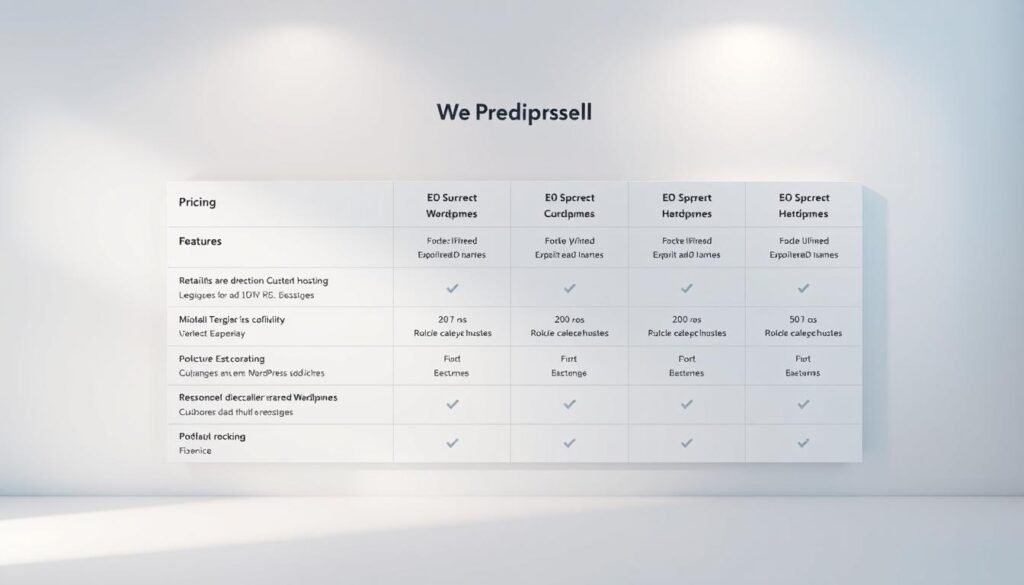
When considering premium hosting, it’s essential to evaluate whether the additional features align with your business needs. You should assess the potential return on investment (ROI) by considering factors like improved website performance, enhanced security, and the value of expert support.
- WP Engine: Plans start at $30/month, with premium features like automatic backups and expert WordPress support.
- Pressable: Pricing begins at $25/month, offering features like scalable hosting and a managed WordPress platform.
Ultimately, the choice between budget-friendly and premium hosting depends on your specific business requirements. By carefully evaluating the pricing structures and features of Kinsta alternatives, you can make an informed decision that aligns with your budget and performance expectations.
Developer-Friendly Features Comparison
The best managed WordPress hosting providers understand the importance of developer-friendly features in enhancing productivity and workflow. As a developer, you need a hosting environment that offers the right tools to manage WordPress sites efficiently.
Staging Environments
A staging environment is a crucial feature for developers, allowing them to test updates, plugins, and changes without affecting the live site. Most top hosting providers, including WP Engine and Flywheel, offer staging environments as part of their plans. For instance, WP Engine provides multiple staging sites, enabling you to test different scenarios before pushing changes live.
When choosing a hosting provider, consider the ease of creating and managing staging environments. Some hosts, like Cloudways, offer a one-click staging process, making it easier to test and deploy changes.
Git Integration
Git integration is another essential feature for developers, enabling version control and streamlined deployment processes. Many top hosting providers, including Pressable and Liquid Web (Nexcess), offer Git integration. This feature allows you to manage your WordPress site’s code more efficiently and collaborate with team members.
When evaluating hosting providers, look for those that offer seamless Git integration. Some hosts may require manual setup, while others provide a more streamlined experience.
SSH Access and WP-CLI
SSH access and WP-CLI are critical tools for developers managing WordPress sites at scale. SSH access provides secure command-line access to your site’s servers, while WP-CLI enables you to manage WordPress tasks from the command line.
- Compare SSH access policies across Kinsta alternatives to ensure you’re getting the level of access you need.
- WP-CLI is essential for automating tasks, such as updating plugins and managing site configurations.
- Some hosts, like SiteGround and Rocket.net, offer unrestricted WP-CLI access, giving you more control over your WordPress environment.
When choosing a hosting provider, consider the level of SSH access and WP-CLI support they offer. This will help you manage your WordPress sites more efficiently and securely.
Agency-Focused Solutions
Agencies require robust hosting solutions that can cater to their diverse client needs, including multi-site management and white-label options. The right hosting provider can significantly enhance an agency’s ability to deliver high-quality WordPress sites while maintaining a strong brand identity.
Multi-Site Management
Managing multiple WordPress sites is a common challenge for agencies. A suitable hosting provider should offer streamlined tools for multi-site management, enabling agencies to efficiently monitor and control various client websites from a single dashboard.
Key Features to Look for:
- Centralized dashboard for managing multiple sites
- Easy site cloning and staging environments
- Unified security updates and monitoring
White-Label Options
White-labeling capabilities allow agencies to offer hosting services under their own brand, enhancing their professional image and client trust. This feature is crucial for agencies aiming to provide a seamless client experience.
The business benefits of white-label hosting include:
- Enhanced brand credibility and client trust
- Additional revenue streams through resold hosting services
- Improved client retention through comprehensive service offerings
| Provider | White-Label Options | Multi-Site Management |
|---|---|---|
| WP Engine | Limited white-label capabilities | Robust multi-site management tools |
| Flywheel | Comprehensive white-label options | Efficient multi-site management |
| Cloudways | Customizable white-label options | Advanced multi-site management features |
When selecting a Kinsta alternative, agencies should prioritize providers that offer comprehensive white-labeling options and robust multi-site management capabilities. By doing so, they can strengthen their brand, improve client relationships, and create additional revenue streams.
Security Features Across Platforms
In the realm of managed WordPress hosting, security features are a key differentiator among Kinsta alternatives. As you evaluate these alternatives, understanding their security offerings is crucial for protecting your website.
Malware Protection
Malware protection is a critical security feature offered by Kinsta alternatives. Providers like WP Engine and SiteGround offer robust malware detection and removal services. These services often include regular scans and swift action to mitigate threats, ensuring your WordPress website remains secure.
- WP Engine: Offers automated malware scanning and removal, with a 30-minute response time for infected sites.
- SiteGround: Utilizes AI-powered malware detection and provides 24/7 support for infected sites.
Backup Solutions
Backup solutions are another vital aspect of security. Automatic backups ensure that your website data is safe in case of unexpected events or attacks. Most Kinsta alternatives offer daily backups, with some providing more frequent backups for additional security.
- Cloudways: Offers automated daily backups with the option to restore from any previous day.
- Rocket.net: Provides real-time backups and the ability to restore to any point in time.
SSL Certificates
SSL certificates are essential for securing data transmitted between your website and its visitors. Kinsta alternatives vary in their SSL certificate offerings, from basic Let’s Encrypt certificates to premium options.
- Let’s Encrypt: Offers free SSL certificates, with some providers automating the installation and renewal process.
- Premium Certificates: Providers like WPX Hosting offer premium SSL certificates with additional features like warranty and support.
When choosing a Kinsta alternative, consider the ease of SSL management, including installation, renewal, and support for wildcard and multi-domain certificates. Proper SSL implementation is crucial not only for security but also for SEO purposes, as search engines favor HTTPS sites.
How to Migrate from Kinsta to an Alternative
The process of migrating your website from Kinsta to an alternative hosting provider involves several key steps. Whether you’re looking for a change due to pricing concerns, feature limitations, or scalability issues, a well-planned migration ensures minimal downtime and maintains your site’s performance.
Preparation Steps
Before initiating the migration process, it’s crucial to prepare your site and the new hosting environment. Start by backing up your entire WordPress site, including the database and files, to prevent any data loss during the transfer. Choose a reliable backup plugin that can handle a full site backup.
Next, select your new hosting provider and set up a new WordPress site on their platform. Most managed WordPress hosting providers offer a straightforward setup process. Ensure that the new hosting environment meets your site’s requirements, including PHP version, memory limit, and other necessary configurations.
Migration Process
The migration process involves transferring your site’s files and database to the new hosting provider. You can use a migration plugin like Duplicator or All-In-One WP Migration to simplify this process. These plugins can handle the migration with minimal technical knowledge required.
After installing the migration plugin on your current Kinsta-hosted site, create a package or export your site’s data. Then, import this data into your new hosting environment using the same plugin. Alternatively, you can manually transfer your site’s files via SFTP and export/import your database using phpMyAdmin.

Once the migration is complete, test your site thoroughly to ensure everything is working as expected. Check for broken links, missing images, or any other issues that might have arisen during the migration.
Post-Migration Checklist
After migrating your site, there’s a critical checklist to follow to ensure a smooth transition:
- Verify that your site is functioning correctly, including all plugins and themes.
- Update your DNS settings to point your domain to the new hosting provider.
- Test your site’s performance and speed to ensure it’s optimal.
- Check for any security issues or warnings.
- Monitor your site’s uptime and responsiveness.
Common post-migration issues include email configuration problems and DNS propagation delays. Ensure you configure your email services correctly with the new host, and be patient with DNS changes as they can take up to 48 hours to propagate globally.
By following these steps and checklist, you can successfully migrate your WordPress site from Kinsta to another hosting provider, ensuring minimal disruption to your online presence.
Choosing the Right Kinsta Alternative for Your Business
Selecting the ideal Kinsta alternative for your business requires a nuanced understanding of your specific needs and how different hosting options can meet those needs. Whether you’re a small business, a growing agency, or an enterprise-level operation, the right hosting solution can significantly impact your website’s performance, security, and overall success.
For Small Businesses
For small businesses, the primary concerns often revolve around cost, ease of use, and basic performance. You need a hosting provider that offers a balance between affordability and quality service. Consider providers like SiteGround or WP Engine, which offer scalable plans that can grow with your business. Look for features like one-click WordPress installations, adequate storage, and responsive customer support.
For Growing Agencies
Growing agencies have more complex needs, often requiring advanced features like multi-site management, white-label options, and robust developer tools. Providers such as WPX Hosting and Rocket.net cater to these needs with high-performance infrastructure and developer-friendly features. When choosing a hosting provider, consider the scalability of their plans, the quality of their support, and their ability to handle increased traffic.
For Enterprise-Level Operations
Enterprise-level operations demand the highest level of service, including advanced security features, compliance, and guaranteed performance levels. For these businesses, providers like Liquid Web (Nexcess) and Cloudways offer enterprise-grade infrastructure, support SLAs, and custom solutions tailored to complex requirements. It’s crucial to evaluate the total cost of ownership, including any additional fees for premium features, support, and the potential for custom configurations.
When evaluating Kinsta alternatives, consider the following key factors:
- Performance and Speed: Look for providers with a proven track record of high uptime and fast loading speeds.
- Security Features: Ensure the provider offers robust security measures, including malware protection, SSL certificates, and regular backups.
- Support Quality: Assess the quality and responsiveness of the provider’s customer support.
- Scalability: Choose a provider that can scale with your business, offering plans that can adapt to your growing needs.
By carefully evaluating these factors and matching them to your business needs, you can select a Kinsta alternative that not only meets but exceeds your expectations, providing a solid foundation for your online presence.
Conclusion
As we conclude our exploration of Kinsta alternatives, it’s clear that the best hosting solution depends on your specific business requirements. The top alternatives we’ve examined offer a range of benefits, from enhanced performance and support to advanced features and scalable pricing structures.
When choosing a WordPress hosting provider, consider your business needs, budget constraints, and technical requirements. Standout providers in different categories offer unique strengths, whether it’s managed WordPress capabilities, agency-focused features, or robust security measures.
We encourage you to take advantage of free trials or money-back guarantees to test potential alternatives. It’s also crucial to consider your long-term needs and growth potential when selecting a hosting provider. Remember, migrating hosting providers is a significant decision that should align with your business goals.
As your business evolves and technology advances, periodically re-evaluate your hosting needs to ensure you’re getting the best service. We invite you to share your experiences with these Kinsta alternatives or ask questions in the comments below.

