
Table of Contents
With the ever-evolving digital landscape, having a reliable and high-performance WordPress hosting provider is crucial. Kinsta, a managed WordPress hosting platform built on Google Cloud, has been a game-changer since its inception in 2013. Founded by developer Mark Gavalda, Kinsta’s mission is to create the best hosting platform in the world, focusing on performance and a wide range of features.
As a result, Kinsta has become a trusted name among businesses of all sizes, from small blogs to large enterprises like NASA and TripAdvisor. But what makes Kinsta stand out in 2025? This article will explore the key advantages of choosing Kinsta for your WordPress hosting needs, examining its infrastructure, performance metrics, and unique features that set it apart.
Key Takeaways
- Kinsta’s infrastructure and performance capabilities
- Unique features that enhance user experience
- Security features for protecting your WordPress site
- User-friendly tools for managing your hosting
- Why businesses of all sizes trust Kinsta for their WordPress hosting
What is Kinsta and Why It Matters in 2025

As we dive into 2025, understanding Kinsta’s role in the WordPress hosting landscape becomes increasingly important. Kinsta has established itself as a premium WordPress hosting provider, known for its exceptional performance and reliability.
The Evolution of Kinsta Since 2013
Kinsta’s journey began in 2013 as a small hosting startup. Over the years, it has transformed into a major player in the WordPress hosting market. By 2025, Kinsta boasts over 120,000 customers across 128 countries worldwide, marking significant growth and expansion.
The company’s evolution is characterized by its unwavering focus on performance optimization. This focus has become Kinsta’s defining characteristic in the competitive hosting landscape.
Kinsta’s Position in the WordPress Hosting Market
Kinsta has positioned itself as a premium hosting provider by exclusively focusing on WordPress and leveraging Google Cloud infrastructure for superior performance. The company’s service offerings have expanded beyond basic WordPress hosting to include web application hosting, database hosting, and free static site hosting.
Understanding Kinsta’s market position in 2025 is crucial for evaluating how its services compare to other hosting providers. This comparison will help you determine whether Kinsta’s premium pricing reflects genuine value for your specific needs.
Kinsta’s commitment to hosting excellence is evident in its recognition as the best WordPress host by the G2 user review platform in 2025. With a strong focus on performance, Kinsta continues to set a high standard in the industry.
Understanding Managed WordPress Hosting
As you explore WordPress hosting options, understanding the nuances of managed hosting becomes crucial. Managed WordPress hosting is designed to provide a superior hosting experience by allocating dedicated resources and handling technical aspects such as updates, security, and performance optimization.
The Difference Between Shared and Managed WordPress Hosting
Shared WordPress hosting involves multiple websites sharing the same server resources, which can lead to performance issues and security vulnerabilities. In contrast, managed WordPress hosting isolates each site in its own container, ensuring consistent performance and enhanced security. With managed hosting, you have dedicated resources such as 12 CPUs and 8GB RAM on the latest Google machines, unlike shared hosting where resources are limited and shared.
| Features | Shared Hosting | Managed WordPress Hosting |
|---|---|---|
| Resource Allocation | Shared Resources | Dedicated Resources (12 CPUs, 8GB RAM) |
| Security | Basic Security Measures | Advanced Security Features, Daily Backups |
| Performance | Variable Performance | Consistent Performance, Optimized |
Why Managed Hosting is Essential for Business Websites
Businesses choose managed WordPress hosting for its enhanced security, reliability, and time-saving benefits. Although it comes at a higher monthly cost compared to shared hosting, the benefits far outweigh the expenses. Managed hosting providers like Kinsta handle technical aspects such as server updates, security patches, and performance optimization, allowing businesses to focus on their core operations.
By opting for managed WordPress hosting, businesses can ensure their websites are always performing at their best, with minimal downtime and maximum security. This makes managed hosting an essential choice for businesses that rely on their website for customer engagement and revenue generation.
Reason #1: Google Cloud Platform Infrastructure

With Google Cloud Platform, Kinsta ensures that your WordPress site benefits from cutting-edge technology. Kinsta’s entire hosting platform is built on Google Cloud, a cloud computing platform that is among the fastest in the world, rivaling competitors like Amazon Web Service (AWS) and Microsoft Azure.
The Power of C2 and C3D Virtual Machines
Kinsta leverages the latest C2 and C3D virtual machines across all plans at no additional cost. The C3D machines, in particular, deliver nearly a 47% performance improvement in uncached page requests. This means your website will load faster, providing a better user experience.
Key benefits of Kinsta’s use of Google Cloud Platform include:
- Access to one of the world’s fastest cloud computing infrastructures.
- Deployment of the latest C2 and C3D virtual machines across all plans.
- Significant reduction in latency due to Google Cloud’s global infrastructure of 37 data centers.
- Superior reliability with automatic scaling during traffic spikes and redundancy systems.
- Continuous technological innovations and hardware upgrades without manual migrations or updates.
How Google Cloud Enhances Website Performance
Google Cloud’s global infrastructure enables Kinsta to place your website on servers that are geographically closest to your target audience, significantly reducing latency. Furthermore, Google Cloud’s enterprise-grade infrastructure provides superior reliability, ensuring your site remains accessible even during sudden traffic spikes.
By combining Google Cloud’s robust infrastructure with Kinsta’s managed WordPress hosting services, you can enjoy a high-performance website that is both reliable and secure. This powerful combination is a key reason why Kinsta stands out as a top choice for WordPress hosting.
Reason #2: Unmatched Speed and Performance

Kinsta’s infrastructure is designed to deliver lightning-fast speeds for your WordPress site. With its Google Cloud Platform-based service, Kinsta claims to improve page load speed by up to 200%. This significant boost in performance is crucial for enhancing user experience and SEO rankings.
TTFB and Load Time Metrics
Kinsta consistently delivers elite performance metrics, boasting an average Time To First Byte (TTFB) of 446ms. During stress tests, Kinsta’s load handling capacity is exceptional, with a load time of 27ms, placing it among the fastest WordPress hosting providers in 2025. This superior performance ensures that your site loads quickly, even during traffic spikes.
The uptime reliability of Kinsta is also noteworthy, with a recorded uptime of 99.96% in Q1-Q2 2025. This means your site remains accessible to visitors with minimal downtime throughout the year.
Edge Caching and Performance Optimization
One of Kinsta’s strong points is its free Cloudflare Enterprise integration, which provides edge caching capabilities that store your site content across 260+ global data centers. This means pages are served to visitors with minimal latency, significantly enhancing your WordPress site’s performance.
By combining Google Cloud infrastructure, Cloudflare integration, and proprietary optimizations, Kinsta’s performance stack delivers consistently fast load times. This comprehensive approach to performance optimization is a key factor in Kinsta’s ability to improve your site’s load speed by up to 200%.
Reason #3: Enterprise-Grade Security Features
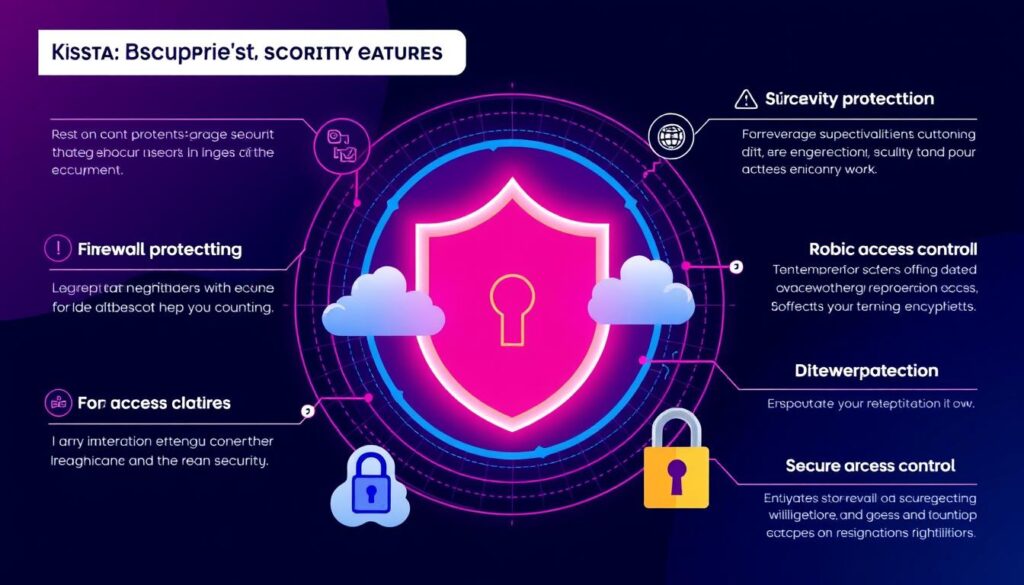
Kinsta doesn’t compromise on security, offering top-notch features to safeguard your site. With a multi-layered approach to security, Kinsta combines Cloudflare Enterprise integration with proprietary measures to protect your WordPress site from various threats.
Cloudflare Integration and DDoS Protection
Kinsta’s integration with Cloudflare Enterprise provides a professional-level firewall that blocks malicious traffic and prevents attacks from reaching your server. This is complemented by robust DDoS protection, ensuring your server resources are safeguarded. Cloudflare’s extensive network helps mitigate DDoS attacks, keeping your site online and performing well even under attack.
The combination of Kinsta’s hosting infrastructure and Cloudflare’s security features creates a powerful defense against cyber threats. This means you can focus on running your business without worrying about the security of your site.
Daily Backups and Malware Scanning
Kinsta goes beyond just firewall protection by incorporating automatic daily backups of your files and database. These backups are easily accessible through the MyKinsta dashboard, allowing for one-click restoration if issues occur. Daily backups ensure that your data is safe, and you can quickly recover in case of data loss or site compromise.
Additionally, Kinsta’s security team proactively monitors your site for malware and vulnerabilities, performing 720 uptime checks daily. If a problem is detected, automatic recovery procedures are initiated. Kinsta also offers a security guarantee: if your site is hacked while hosted on their platform, their dedicated security team will clean it up for free and restore it to normal operation.
Reason #4: The MyKinsta Dashboard Experience

With MyKinsta, you get an intuitive interface designed specifically for WordPress hosting, making it significantly easier to manage your sites compared to generic control panels.
Intuitive Site Management Tools
The MyKinsta dashboard provides a centralized interface for managing your WordPress sites, databases, and applications all in one place. You’ll appreciate the streamlined workflow for managing multiple WordPress installations, with one-click options for creating staging environments, installing WordPress, and switching between development and production environments.
MyKinsta’s comprehensive site management capabilities include cache management, WordPress debugging, redirects, CDN activation, HTTPS forcing, and database management via SSH or web interface. This allows you to have full control over your site’s performance and make adjustments as needed.
Performance Monitoring with Kinsta APM
Kinsta APM (Application Performance Monitoring) is a free tool included in all hosting plans that helps you identify and fix performance bottlenecks on your WordPress sites without requiring technical expertise. With Kinsta APM, you can monitor your site’s performance in real-time, identifying issues such as slow database requests or external HTTP calls.
MyKinsta’s PHP performance tool allows you to review and manage PHP resources, easily adjusting memory allocation to optimize your site’s performance based on actual usage patterns. This ensures that your WordPress site runs smoothly and efficiently, providing a better experience for your users.
Reason #5: Global Data Center Presence
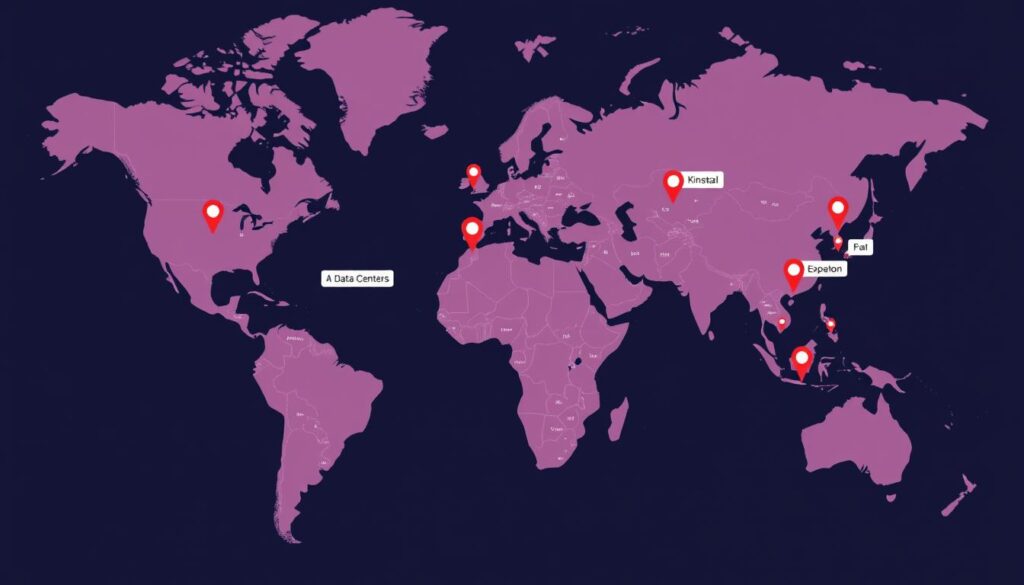
Leveraging Google Cloud’s infrastructure, Kinsta offers unparalleled global coverage with 37 strategic data center locations across six continents. This extensive network provides you with the flexibility to choose the data center closest to your target audience, significantly reducing latency and improving your website’s performance.
37 Strategic Data Center Locations
Kinsta’s partnership with Google Cloud grants you access to a vast array of data centers worldwide, including multiple locations in North America, Europe, Asia-Pacific, South America, and Australia. This means you can host your WordPress site in a data center that is geographically close to your visitors, ensuring faster load times and a better user experience.
Key Benefits:
- Choose from 37 data center locations across six continents
- Reduce latency by hosting your site closer to your target audience
- Improve your website’s performance and user experience
How Geographic Proximity Improves User Experience
The distance between your website’s server and your visitors directly impacts page load times. By choosing a data center that is closer to your audience, you can significantly reduce latency and deliver content faster. Kinsta’s global data center presence, combined with Cloudflare’s 260+ edge locations, creates a truly global content delivery network that serves your site’s content from the optimal location.
This strategic positioning not only enhances your website’s performance but also allows you to manage multiple WordPress installations for different markets, optimizing performance for each target audience.
Reason #6: Top 10 Reasons to Choose Kinsta for WordPress Hosting in 2025
Kinsta stands out as a premier WordPress hosting solution, offering numerous benefits that make it an ideal choice for your website needs. One of the key advantages of choosing Kinsta is its comprehensive suite of features designed to simplify the process of setting up and managing your WordPress site.
Free Site Migrations and Setup Process
To make the transition to Kinsta as seamless as possible, the company offers free site migrations performed by their expert migration team. This service allows you to transfer your existing WordPress sites without experiencing downtime or technical headaches. You have the flexibility to choose a specific date for the migration or expedite the process for a small fee of $49 if you need your site transferred within 8 hours.
Kinsta’s streamlined WordPress setup process is another significant advantage. With one-click installation and configuration options, you can get your site up and running quickly with optimal performance settings. This ease of setup, combined with the expert migration service, makes Kinsta an attractive option for those looking to host their WordPress sites with a reliable provider.
- Unlimited free site migrations performed by Kinsta’s expert team
- Flexible migration scheduling, including expedited options
- One-click WordPress installation and configuration

Staging Environments for Risk-Free Development
Kinsta’s staging environments provide a safe space for testing changes, updates, and new features without risking your live site. This feature is invaluable for developers and site owners alike, as it allows for thorough testing and verification before pushing changes to production.
The one-click staging to production deployment simplifies the development workflow, ensuring that updates are made smoothly and efficiently. By utilizing Kinsta’s staging environments, you can improve your site’s performance and reliability, ultimately enhancing the user experience for your visitors.
- Create a perfect copy of your live site for testing
- One-click staging to production deployment
- Risk-free development and testing environment
Reason #7: Exceptional Uptime Reliability

Exceptional uptime reliability is a hallmark of Kinsta’s WordPress hosting services. By leveraging Google Cloud Platform’s high-end infrastructure, Kinsta ensures that server and system failures are extremely rare, providing a stable environment for your WordPress site.
99.9% Uptime Guarantee and SLA
Kinsta guarantees 99.9% uptime through their Service Level Agreement (SLA), a commitment that reflects their confidence in their hosting infrastructure. This guarantee translates to no more than 1.6 hours of downtime per year, a significant improvement over less reliable hosting providers.
In recent performance tests, Kinsta has consistently delivered even better reliability, with measured uptime of 99.96%. This level of performance is backed by Kinsta’s Tier III infrastructure certification, the highest available international standard for data center security and reliability.
The benefits of Kinsta’s uptime reliability include:
- Minimal downtime for your WordPress site, ensuring it’s always accessible to your audience.
- A robust hosting environment that supports your business continuity.
Automatic Healing and Recovery Systems
Kinsta’s infrastructure is equipped with automatic healing and recovery systems that perform 720 uptime checks daily, every two minutes. If an issue is detected, these systems automatically resolve it, minimizing potential downtime.
This proactive approach to monitoring and maintenance ensures that your WordPress site remains operational at all times. By combining Google Cloud infrastructure with redundant systems and proactive monitoring, Kinsta creates a hosting environment where server failures are a rarity.
The result is a highly reliable hosting service that supports your WordPress site’s performance and availability.
Reason #8: Premium Support from WordPress Experts

With Kinsta, you can expect more than just great WordPress hosting – you’ll also get access to premium support from experienced developers and engineers. Kinsta’s commitment to delivering exceptional WordPress hosting services extends to its customer support, ensuring that you receive the help you need whenever you need it.
24/7/365 Support Availability
Kinsta provides 24/7/365 support from WordPress experts who are not entry-level support staff reading from scripts. Their team is made up of experienced developers and engineers able to respond in ten languages, including English, Spanish, French, German, Italian, Portuguese, Japanese, Danish, Dutch, and Swedish. This multilingual support team is available to assist you in real-time, directly on your MyKinsta dashboard.
The support is exclusively human, with no AI chatbots, ensuring that you always communicate with knowledgeable professionals who can solve complex WordPress issues. This level of support is crucial for businesses relying on their WordPress site for operations.
Support Response Times and Resolution Rates
You’ll receive rapid assistance with an average response time of just 3 minutes and an average resolution time of 39 minutes, significantly faster than most hosting providers in the industry. Kinsta’s impressive 97% customer satisfaction rate for support requests reflects their commitment to resolving issues quickly and effectively through their real-time chat support system.
By choosing Kinsta for your WordPress hosting needs, you’re not only getting a reliable hosting provider but also a dedicated support team that’s always available to help you succeed.
Reason #9: Scalable Hosting Plans for Every Need
Whether you’re just starting out or managing multiple high-traffic sites, Kinsta has a hosting plan that’s right for you. Kinsta offers highly scalable hosting plans organized into three categories: Single-site plans starting at $30 per month, Multiple-site plans for managing several WordPress installations, and Enterprise plans for high-traffic websites.
Single-Site Plans vs. Multiple-Site Plans
Kinsta’s Single-site plans are perfect for businesses or individuals managing one WordPress site. Starting with the Single35k plan at $30/month, which supports 35,000 monthly visits, you can scale up to higher plans like Single750k at $313/month for 750,000 monthly visits. On the other hand, Multiple-site plans are ideal for those managing multiple WordPress installations. For instance, the WP2 plan at $59/month supports 2 WordPress installations and 70,000 visits.
Key features to consider when choosing between Single-site and Multiple-site plans include the number of WordPress installations, monthly visits, storage space, and CDN bandwidth. For example, if you need to manage more than one site, Multiple-site plans offer a cost-effective solution without compromising on performance.
Enterprise Solutions for High-Traffic Websites
For websites exceeding 1.25 million monthly visits, Kinsta’s Enterprise plans offer custom configurations to meet specific business requirements. These plans start at $521/month and provide enhanced features such as increased storage and higher CDN bandwidth. Enterprise solutions are designed to ensure high performance and reliability for large-scale businesses.
Kinsta’s pricing structure allows you to start small and seamlessly scale up as your traffic grows, without experiencing performance degradation during the transition between plans. This scalability ensures that your website remains fast and reliable, regardless of the growth in traffic.
Reason #10: Developer-Friendly Tools and Features

Kinsta’s developer-friendly tools make it an ideal choice for building and maintaining WordPress sites. With a comprehensive suite of features, Kinsta enhances productivity and streamlines workflow for developers.
Git Integration and Composer Support
You’ll benefit from Kinsta’s Git integration and Composer support, allowing for version control and dependency management directly within your hosting environment. This means you can manage your WordPress site’s codebase more efficiently, leveraging the power of Git for versioning and Composer for managing dependencies.
Key benefits include: streamlined deployment processes, easier collaboration among development teams, and the ability to manage complex WordPress projects with ease.
REST API and Custom Workflows
Kinsta’s open REST API enables you to automate tasks like WordPress installations and site management without manually logging into the MyKinsta dashboard. This feature is particularly useful for agencies and development teams managing multiple WordPress installations, as it allows for the creation of custom workflows that automate repetitive tasks.
You can also access PHPmyAdmin for database management, activate WordPress debug messages with one click, and enjoy compatibility with modern WordPress development tools like Bedrock and Trellis. These features collectively make Kinsta an ideal host for development teams and agencies.
By offering these developer-friendly tools and features, Kinsta demonstrates its commitment to providing a high-performance hosting environment that meets the needs of developers and agencies managing complex WordPress sites.
How Kinsta Compares to Other WordPress Hosting Providers
When evaluating WordPress hosting providers, understanding how Kinsta stacks up against the competition is crucial. With numerous options available, comparing their features, performance, and pricing helps you make an informed decision.
Kinsta vs. WP Engine
Kinsta and WP Engine are often considered top contenders in the managed WordPress hosting market. Both offer high-performance capabilities, but there are key differences. Kinsta provides 37 data center options globally, giving it an edge in terms of flexibility and geographic reach compared to WP Engine.
Our performance data shows that Kinsta achieves a TTFB of 446ms and an uptime of 99.96%, metrics that are competitive with WP Engine. However, Kinsta’s inclusion of free APM tools on all plans adds significant value, enabling users to monitor and optimize their site’s performance without additional costs.
| Feature | Kinsta | WP Engine |
|---|---|---|
| Data Centers | 37 | Limited |
| TTFB | 446ms | Similar |
| APM Tools | Free on all plans | Additional cost |
Kinsta vs. Shared Hosting Options
The difference between Kinsta’s managed WordPress hosting and shared hosting options is stark, particularly in terms of performance and security. Kinsta’s dedicated resources and isolation technology ensure that your site operates independently, unaffected by the activities of other users on the same server.
In contrast, shared hosting options, while cheaper, often result in slower load times and increased security risks. Our data indicates that Kinsta’s load handling is significantly better, with an average response time of 27ms under load, far outperforming typical shared hosting environments.
While Kinsta’s pricing may be higher than some shared hosting providers, the premium performance and enhanced security features justify the investment for businesses reliant on their website.
Real User Experiences and Testimonials
Real users, real results – that’s what sets Kinsta apart from other hosting providers, as evidenced by the testimonials from businesses that have made the switch. Kinsta’s commitment to delivering exceptional WordPress hosting is reflected in the success stories of its diverse client base, spanning various industries.
Success Stories from Businesses Using Kinsta
Kinsta’s clientele includes high-profile organizations such as NASA, Unicef, and TripAdvisor, demonstrating its capability to handle mission-critical websites. Businesses across various sectors have experienced tangible benefits from Kinsta’s performance optimizations, including improved conversion rates, lower bounce rates, and higher search rankings.
- Significant performance improvements after migrating from other hosting providers.
- Many businesses report 200%+ faster page load times after switching to Kinsta.
Performance Improvements After Migration to Kinsta
Before-and-after case studies show how migration to Kinsta resolved specific performance issues that plagued websites on previous hosting providers. Actual Kinsta users share insights about their experiences with customer support, ease of use, and the overall value proposition compared to their previous hosting arrangements.
Kinsta also offers a feature-rich, managed WordPress hosting service that includes free migrations, making it an attractive option for businesses looking to upgrade their hosting without the hassle.
Is Kinsta Worth the Investment in 2025?
As you consider your WordPress hosting options in 2025, the question arises: is Kinsta worth the investment? Kinsta’s premium pricing is a significant factor in this decision, especially when compared to other hosting providers like Bluehost or GoDaddy. However, the value proposition Kinsta offers through its premium services, including access to Cloudflare Enterprise for enhanced performance and security, can justify the higher cost.

ROI Analysis for Different Business Types
Evaluating Kinsta’s return on investment (ROI) involves considering both direct monthly costs and indirect benefits such as improved performance, reduced maintenance time, and enhanced security. Different business types can benefit from Kinsta’s premium managed WordPress hosting in various ways:
- E-commerce sites benefit from faster load times, potentially increasing conversion rates.
- Membership sites gain reliability, aiding in subscriber retention.
- High-traffic blogs see improved ad revenue due to better user engagement.
When to Choose Kinsta Over Alternatives
Choosing Kinsta over alternative hosting providers makes the most business sense in specific scenarios, such as for mission-critical websites, resource-intensive applications, or when technical expertise is limited in-house. A comparative analysis of the total cost of ownership between Kinsta and cheaper alternatives reveals that Kinsta’s managed WordPress hosting plans include premium services that can reduce overall costs by minimizing the need for additional performance plugins, security tools, and technical support.
By calculating the potential ROI based on your specific business metrics, including time saved on maintenance, improved SEO rankings, and enhanced user experience, you can make an informed decision about whether Kinsta is the right choice for your business in 2025.
How to Get Started with Kinsta
Getting started with Kinsta is a straightforward process that begins with choosing the right hosting plan for your needs. Kinsta offers a variety of plans designed to accommodate different levels of traffic and site requirements.

Selecting the Right Hosting Plan
When selecting a hosting plan, consider your expected monthly visits, the number of WordPress sites you need to host, and your storage requirements. Kinsta offers plans such as the Single35k plan at $30/month, which includes 35,000 monthly visits and 10 GB of storage. For multiple sites, plans like WP2 at $59/month offer 70,000 visits and 20 GB storage. You’ll benefit from Kinsta’s risk-free trial options, including the first month free on select plans and a 30-day money-back guarantee on all plans.
Migration Process and First Steps
Once you’ve selected your plan, the next step is to migrate your existing WordPress site to Kinsta. Kinsta’s expert migration team handles the technical aspects of the transfer, ensuring zero downtime. After signing up, you’ll access your MyKinsta dashboard, where you can select your preferred data center location and configure your site settings for optimal performance. You’ll also learn how to take advantage of Kinsta’s hosting plans and pricing structure, tailored to your site’s needs.
Conclusion
By leveraging Google Cloud Platform and cutting-edge technology, Kinsta delivers a managed WordPress hosting experience that balances speed, security, and reliability. You’ve seen how Kinsta’s investment in technology—from C3D virtual machines to edge caching and Cloudflare Enterprise integration—translates to measurable performance benefits for your WordPress site.
Kinsta’s comprehensive approach to WordPress hosting balances speed, security, reliability, and user-friendly tools in a package that delivers genuine value despite its premium pricing. The platform’s global data center presence, developer-friendly features, and scalable plans make it suitable for websites of all sizes, from personal blogs to enterprise-level applications with millions of monthly visits.
Whether you’re looking to improve your site’s performance, enhance security, save time on management, or scale your online presence, Kinsta offers a robust managed WordPress hosting solution. With industry-leading support and a 30-day money-back guarantee, Kinsta is an excellent choice for anyone seeking a reliable web host. By choosing Kinsta, you’re investing in a hosting platform that is designed to meet the needs of your growing online presence.
In conclusion, Kinsta’s hosting plans and features make it a top-tier hosting provider in 2025. With its focus on managed WordPress hosting, Kinsta is well-positioned to support your online endeavors, providing the performance, uptime, and support you need to succeed.

