

Table of Contents
As we navigate the complexities of the digital landscape in 2023, website security has become a paramount concern for business owners and developers alike. The question on everyone’s mind is: are you truly protected against the ever-evolving threats?
Kinsta hosting has emerged as a premier WordPress hosting solution, boasting an array of robust security features designed to safeguard your website data and user information. By leveraging Google Cloud Platform’s enterprise-level infrastructure, Kinsta delivers multiple layers of protection for your site.
This comprehensive guide will explore how Kinsta’s security-first approach provides peace of mind, ensuring your website remains secure in today’s threat landscape.
Key Takeaways
- Understanding the importance of website security in 2023.
- Exploring Kinsta’s security features and how they protect your site.
- Learning how Kinsta leverages Google Cloud Platform for robust security.
- Discovering the multiple layers of protection for your website data.
- Gaining insights into Kinsta’s security-first approach.
Why Website Security Matters in 2023
With cyber threats on the rise, ensuring the security of your website is crucial for protecting your business and customer data. The digital landscape is becoming increasingly hostile, with new threats emerging daily that can compromise even the most well-established online presences.
The Growing Threat Landscape for WordPress Sites
WordPress sites are particularly vulnerable to attacks due to their popularity and the often outdated plugins and themes used. The threat landscape is constantly evolving, with hackers employing sophisticated techniques to exploit weaknesses in website security. This can lead to devastating consequences, including the loss of sensitive data and disruption of business operations.
The growing threat landscape underscores the need for robust protection measures. As a business owner, it’s essential to stay informed about the latest security threats and take proactive steps to safeguard your online presence.
The Cost of Security Breaches for Businesses
The financial implications of a security breach can be severe. According to IBM’s latest report, the average cost of a data breach is approximately $3.92 million. Beyond the immediate financial losses, breaches can damage customer trust and brand reputation, potentially leading to long-term consequences for businesses.
- Security breaches carry substantial financial implications, with the average cost of a data breach being around $3.92 million.
- Beyond immediate financial losses, security breaches can damage customer trust and brand reputation.
- Regulatory consequences of data breaches have intensified, with legislation like GDPR and CCPA imposing significant fines.
- Business operations often face extended downtime following security incidents, with costs estimated at $5,600 per minute.
- Small and medium businesses are particularly vulnerable, with 60% closing within six months of a major security breach.
These statistics highlight the critical importance of investing in robust website security measures to protect your business from the potentially catastrophic costs associated with security breaches.
Understanding the Shared Responsibility Model in Cloud Security
Cloud security involves a shared responsibility model that outlines the security duties of Kinsta and its users. This model is designed to ensure comprehensive protection for your website and data.

What Security Aspects Kinsta Handles
Kinsta takes care of several critical security aspects to provide a secure hosting environment. This includes:
- Configuring and maintaining the security of the servers and infrastructure.
- Implementing robust firewalls and intrusion detection systems.
- Ensuring the security of the network and data centers.
Kinsta’s proactive approach to security involves continuous monitoring and updates to protect against emerging threats. By handling these security aspects, Kinsta provides a secure foundation for your website.
| Security Aspect | Kinsta’s Responsibility |
|---|---|
| Server Security | Configuration and Maintenance |
| Firewall and Intrusion Detection | Implementation and Monitoring |
| Network and Data Center Security | Ensuring Security and Compliance |
What Security Responsibilities Remain with Website Owners
While Kinsta handles several security aspects, website owners remain responsible for certain security practices. This includes:
- Maintaining secure admin credentials, including strong passwords and appropriate user access permissions.
- Keeping all WordPress plugins and themes updated to patch security vulnerabilities.
- Ensuring content security by monitoring for malicious uploads and setting proper file permissions.
- Implementing security best practices specific to their WordPress configuration.
By understanding and fulfilling these responsibilities, website owners can significantly enhance their website’s overall security posture.
Google Cloud Platform: The Foundation of Kinsta’s Security
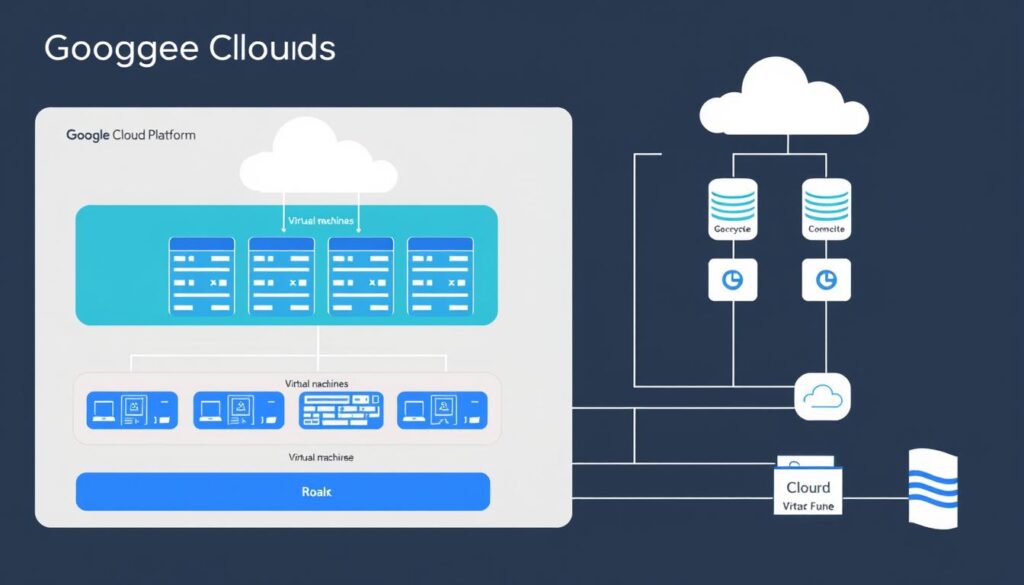
Kinsta’s security infrastructure is built on the robust foundation of Google Cloud Platform (GCP), providing top-notch protection for hosted websites. Here at Kinsta, we secure all websites behind the Google Cloud Platform (GCP) Firewall, offering state-of-the-art protection and the ability to integrate closer with other GCP security solutions.
Enterprise-Level Infrastructure Protection
The security of your WordPress site is paramount, and Kinsta achieves this through the enterprise-level infrastructure protection offered by GCP. This includes a premium tier network that provides enhanced security through private fiber networks, minimizing public internet exposure and reducing attack surfaces for Kinsta-hosted websites.
Key security benefits include:
- Built-in DDoS protection that can absorb massive attack volumes without impacting website performance or availability.
- GCP’s global network allows Kinsta to distribute traffic across multiple points of presence, making it more difficult for attackers to target specific infrastructure components.
How GCP’s Premium Network Enhances Security
GCP’s premium network is designed to enhance the security of your website by providing advanced traffic analysis that can identify and block malicious patterns before they reach your WordPress site. Additionally, Google’s continuous network security monitoring provides real-time threat intelligence that helps protect against emerging attack vectors and zero-day vulnerabilities.
The premium network’s architecture ensures that your website’s traffic is managed efficiently and securely, providing a robust defense against various types of attacks, including DDoS attacks.
Top 10 Security Features in Kinsta Hosting
Kinsta prioritizes website security by integrating advanced security features into their hosting platform, providing a safe haven for your site. The security of your website is only as strong as the foundation it’s built on, making it crucial to choose a hosting platform like Kinsta that has robust security measures in place.
Overview of Kinsta’s Security-First Approach
Kinsta’s security-first approach is evident in several key aspects of their hosting service. This approach begins at the infrastructure level, leveraging the secure environment of Google Cloud Platform. Here are some key elements that highlight Kinsta’s commitment to security:
- Secure Infrastructure: Kinsta hosts all websites on Google Cloud Platform’s secure environment, moving away from traditional shared hosting that can be more vulnerable to attacks.
- Proactive Security Measures: The company focuses on preventive measures rather than reactive solutions, implementing systems that stop attacks before they happen.
- Regular Security Audits: Kinsta conducts regular security audits and updates its hosting environment to stay protected against emerging threats.
- Integrated Security Philosophy: Security considerations are woven into every aspect of Kinsta’s hosting platform development.
- Comprehensive Security Features: Unlike many hosting providers that offer security as an add-on, Kinsta includes comprehensive security features in all hosting plans, recognizing security as a fundamental necessity.
By adopting this security-first approach, Kinsta ensures that your website benefits from enterprise-level security enhancements, safeguarding your online presence.
1. Advanced Firewall Protection and DDoS Mitigation
Kinsta’s advanced firewall and DDoS protection work in tandem to provide robust security for your WordPress site. This powerful combination ensures that your website remains protected from various types of cyber threats.
How Kinsta Detects and Blocks Malicious Traffic
Kinsta’s security system is designed to detect and block malicious traffic effectively. It monitors your website’s traffic in real-time, identifying potential threats and automatically blocking IP addresses that exhibit suspicious behavior. This proactive approach to security helps prevent DDoS attacks and other malicious activities from impacting your site’s performance.
The system is intelligent and can distinguish between legitimate traffic and potential threats, minimizing false positives. By automatically detecting and blocking malicious traffic, Kinsta ensures that your website remains secure and available to genuine users.
Automatic IP Banning for Failed Login Attempts
Kinsta’s security features include automatic IP banning for failed login attempts, providing an additional layer of protection for your WordPress admin area. If an IP address attempts more than six failed logins within a minute, it is automatically banned, preventing brute force attacks. This feature works without requiring any additional plugins or configuration, making it a seamless part of your Kinsta hosting experience.
The IP banning system implements progressive banning, with temporary blocks for minor infractions and permanent bans for persistent attackers. Detailed logs of blocked login attempts are maintained, giving you visibility into potential security threats targeting your site. This information can be invaluable in understanding your site’s threat profile and enhancing your overall security posture.
2. Isolated Container Technology
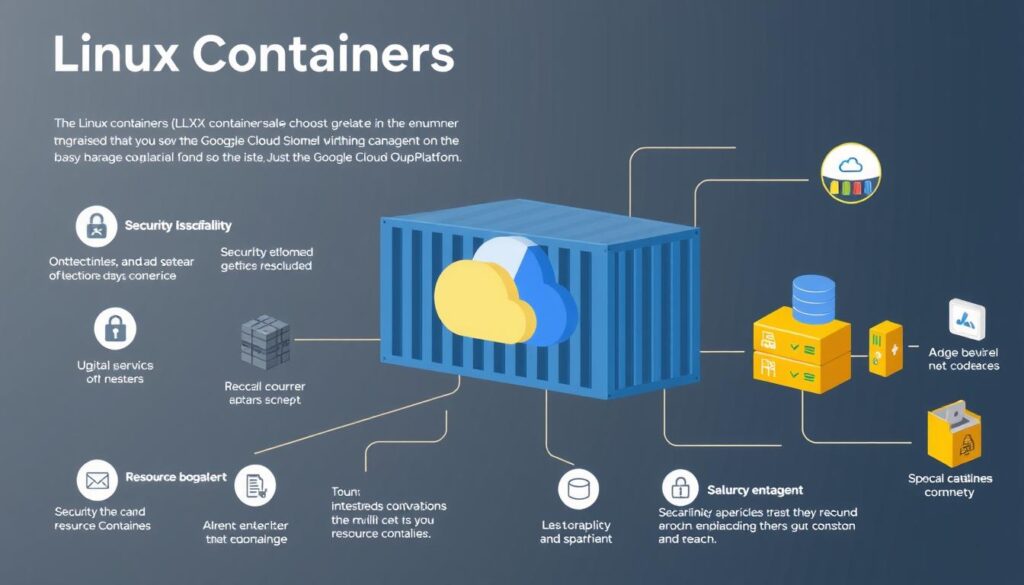
With Kinsta, you benefit from the advanced security features of isolated container technology on Google Cloud Platform. This approach ensures that each of your WordPress sites is hosted in a secure, isolated environment.
Linux Containers (LXC) and Site Isolation
Kinsta utilizes Linux Containers (LXC) to provide complete isolation for each account and separate WordPress site. This technology creates a robust boundary around each site, preventing potential security breaches from spreading.
The use of LXC means that each container operates with its own isolated file system. This isolation is crucial for security, as it ensures that malicious files or code uploaded to one site cannot access or modify files belonging to other sites on the same server.
How Container Technology Prevents Cross-Site Contamination
The isolation provided by container technology extends beyond file systems to include process management. This means that a compromised site cannot launch attacks against other sites or consume excessive server resources, thereby preventing cross-site contamination.
Furthermore, container technology implements memory isolation, ensuring that sensitive data from one site cannot be accessed by processes running in another container. This level of isolation and protection is a significant advancement in security, safeguarding your WordPress sites from various threats.
By leveraging container technology on Google Cloud Platform, Kinsta effectively eliminates the risk of server-wide infections that can occur in traditional shared hosting environments lacking container isolation.
3. Encrypted Connections and Data Security

At Kinsta, we understand the importance of securing your data with encryption. As a leading hosting provider, we leverage advanced encryption methods to protect your website’s data both in transit and at rest.
SFTP and SSH Encryption Standards
Kinsta employs industry-standard encryption protocols for secure data transfer. We use SFTP (Secure File Transfer Protocol) and SSH (Secure Shell) to ensure that your data is encrypted when it’s being transmitted. This means that any data exchanged between your local machine and our servers is protected from interception or eavesdropping.
SFTP encryption ensures that your files are securely transferred, while SSH provides a secure channel for executing commands and transferring data. Both protocols utilize robust encryption algorithms to safeguard your data.
Data Encryption at Rest with Google Cloud
Kinsta leverages Google Cloud’s automatic data encryption at rest, ensuring that all stored website data is encrypted using strong algorithms before being written to disk. This encryption happens automatically and transparently, protecting your database content, uploaded files, and configuration data without requiring manual setup.
- Google Cloud’s encryption implementation uses AES-256 encryption, the same standard used by financial institutions and government agencies for sensitive data protection.
- The encryption keys are managed by Google’s Key Management Service, which implements rigorous security controls including automatic key rotation and secure key storage.
- Data encryption at rest provides protection against physical theft of storage media and unauthorized access to data storage systems, addressing security concerns even when systems are powered off.
By utilizing Google Cloud’s data encryption at rest, Kinsta ensures that your website’s data is protected with enterprise-grade security measures, providing you with peace of mind regarding your data’s safety.
4. Automatic Backups and Disaster Recovery

In the event of data loss or security breaches, Kinsta’s automatic backup system is your safety net. Kinsta provides comprehensive backup solutions for all sites hosted on its servers, automatically creating two weeks of backups for site owners to restore if needed.
Daily Backup System and Retention Policy
Kinsta’s daily backup system is designed to ensure that your website’s data is consistently protected. The retention policy allows for two weeks of backups, giving you ample time to identify and address any issues. This means you can restore your site to a previous state if you encounter problems due to security incidents or other data loss events.
Key aspects of Kinsta’s backup system include:
- Automatic daily backups for all hosted sites
- Two-week retention policy for backup files
- Flexibility to restore entire sites or specific components
One-Click Restoration Process After Security Incidents
Kinsta’s one-click restoration process is designed to be straightforward and efficient, allowing you to quickly recover from security incidents without needing technical expertise. This minimizes downtime and reduces the impact on your business.
The restoration process is flexible, enabling you to restore your entire site or specific components as needed. Restoring from a backup is non-destructive to your existing backups, ensuring that you maintain your backup history. The process includes verification steps to ensure the restored site is functioning correctly before it’s made live, preventing additional downtime.
Benefits of Kinsta’s restoration process include:
- Quick recovery from security incidents
- Flexibility to restore entire sites or specific components
- Non-destructive restoration that preserves backup history
- Verification steps to ensure site functionality before going live
- Support from Kinsta’s team for assistance with backup restorations
5. Two-Factor Authentication Implementation
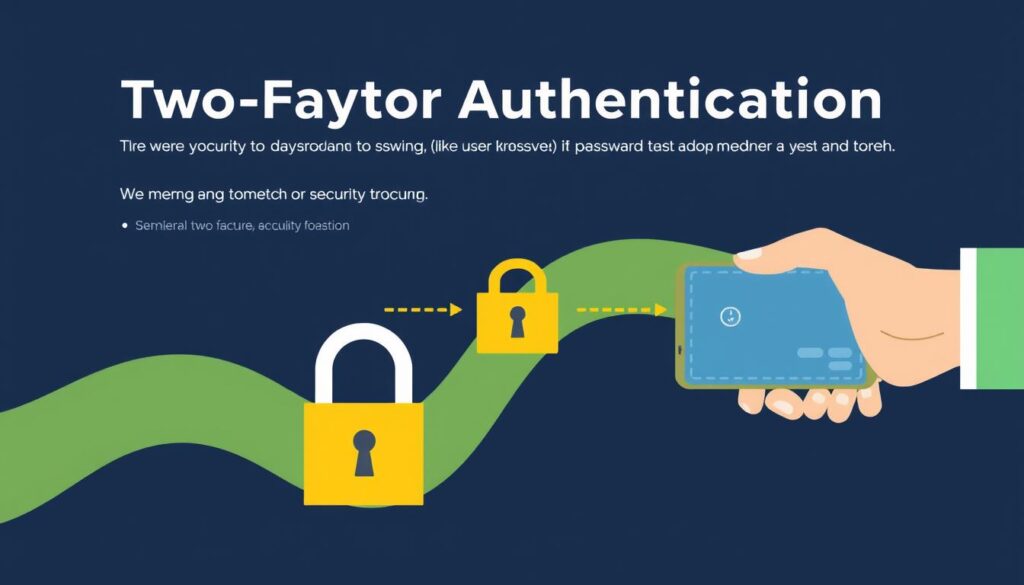
Two-factor authentication is a simple yet effective way to significantly boost your Kinsta account’s security. By adding an extra layer of verification during the login process, you substantially reduce the risk of unauthorized access.
How 2FA Protects Your Kinsta Account
Two-factor authentication protects your Kinsta account by requiring not just a password, but a second form of verification. This could be a code sent to your phone, a biometric scan, or an authentication app code. The result is a significantly enhanced security posture that makes it much harder for attackers to gain access.
The benefits of 2FA include:
- Enhanced security against phishing and password attacks
- Protection against unauthorized access, even if passwords are compromised
- Compliance with security best practices for businesses
Setting Up and Managing 2FA for Team Members
Kinsta provides a straightforward process for setting up two-factor authentication for all team members who need access to your hosting account. As an administrator, you can enforce 2FA as a requirement, ensuring consistent security practices across your organization.
Key features of Kinsta’s 2FA management include:
- Monitoring 2FA adoption and compliance among team members
- Role-based access control in conjunction with 2FA
- Recovery options for team members who lose their authentication devices
By implementing 2FA, you not only enhance your account’s security but also ensure that your team members understand the importance of security practices.
6. PHP Version Management and Security Updates
Staying up-to-date with the latest PHP versions is vital for protecting your site against known vulnerabilities. Outdated PHP versions can leave your site exposed to security risks, as they no longer receive security patches or updates.
Why Running Updated PHP Versions Is Critical for Security
Running an updated PHP version is crucial because it ensures your site benefits from the latest security patches. Outdated PHP versions are a common entry point for hackers, as exploits for older versions are often well-known and easily accessible. By keeping your PHP version up-to-date, you significantly reduce the risk of your site being compromised.
Moreover, updated PHP versions not only enhance security but also improve performance and stability. Newer versions often include performance optimizations that can make your site run faster and more efficiently.
Kinsta’s Automatic PHP Updates System
To make things even easier, Kinsta offers automatic PHP upgrades. If your site is running on a PHP version that is reaching end-of-life, our system automatically updates it to the latest supported version. This ensures that your site stays secure and fully optimized without requiring any manual intervention.
- Kinsta’s automatic PHP updates system monitors your site’s PHP version and can automatically upgrade it when a version reaches end-of-life status.
- The system performs compatibility checks before updates to minimize the risk of site breakage, ensuring smooth transitions to newer PHP versions.
- For sites that require specific PHP versions for compatibility reasons, Kinsta allows you to override the automatic updates while providing clear security advisories.
- The automatic update process includes thorough testing to ensure your site functions correctly after the PHP version change.
- Kinsta maintains multiple PHP versions simultaneously, allowing you to choose the optimal balance between security, performance, and compatibility for your specific WordPress setup.
By leveraging Kinsta’s automatic PHP updates system, you can ensure your site remains secure and up-to-date with minimal effort.
7. Hardware Firewalls and Active Security Measures
To protect your website from evolving threats, Kinsta employs a multi-faceted approach that includes hardware firewalls and active security monitoring. This comprehensive security strategy is designed to safeguard your data and ensure the integrity of your website.
Multi-Layered Firewall Architecture
Kinsta’s security begins with a robust, multi-layered firewall architecture that acts as the first line of defense against malicious traffic and unauthorized access attempts. This architecture is crucial in filtering out potential threats before they can reach your website.
The hardware firewalls are configured to detect and block suspicious activity, providing a strong barrier against common web attacks and intrusion attempts. By leveraging enterprise-grade hardware firewalls, Kinsta ensures that your website is protected from the outset.
Active and Passive Security Monitoring
Kinsta combines active security monitoring that identifies and blocks threats in real-time with passive monitoring that analyzes patterns to detect suspicious activities. Active monitoring includes intrusion detection and prevention systems that can immediately block malicious traffic when it matches known attack signatures.
On the other hand, passive monitoring analyzes traffic patterns and system behaviors over time to identify anomalies that might indicate sophisticated or previously unknown attacks. The security monitoring system generates alerts for Kinsta’s security team when suspicious activities are detected, enabling human investigation of potential threats.
This comprehensive monitoring approach provides protection against both known threats with established signatures and novel attacks that might not match existing patterns, ensuring your website remains secure against a wide range of potential threats.
8. Restricted PHP Execution in Vulnerable Directories
To protect your WordPress site from potential threats, Kinsta implements a crucial security measure: restricting PHP execution in vulnerable directories.

This security feature is critical in preventing malicious activities on your website. By restricting PHP execution, Kinsta ensures that even if an attacker manages to upload a malicious script, it cannot be executed, thereby neutralizing the threat.
Open_basedir Restrictions Explained
Kinsta’s open_basedir restrictions are designed to limit the execution of PHP scripts to specific directories, thereby enhancing your site’s security. This means that PHP execution is restricted in standard directories that are prone to malicious scripts, such as upload directories.
The open_basedir directive is a PHP configuration setting that restricts the files that can be opened by PHP to a specific directory tree. By configuring this setting, Kinsta ensures that PHP scripts can only access authorized directories, preventing unauthorized access to sensitive areas of your site.
How This Prevents Common Malicious Scripts
Restricting PHP execution in vulnerable directories is a powerful security measure that prevents several types of malicious activities:
- Restricting PHP execution prevents attackers from uploading and executing backdoor scripts that could give them persistent access to your site.
- This security measure blocks common attack patterns where hackers upload disguised PHP files through vulnerable plugins or theme editors.
- Even if an attacker exploits a file upload vulnerability, the uploaded malicious PHP script cannot execute in restricted directories, neutralizing the attack.
- The restriction is particularly effective against web shell attacks, where attackers attempt to upload command execution interfaces disguised as image files.
- By preventing PHP execution in upload directories, Kinsta blocks the critical execution phase of many WordPress attacks, even if earlier security layers are bypassed.
By implementing these restrictions, Kinsta provides a robust security mechanism that protects your WordPress site from various types of attacks, ensuring the integrity and security of your online presence.
9. Strong Password Enforcement

With cyber threats on the rise, enforcing strong passwords is more critical than ever for WordPress security. Weak credentials remain one of the easiest ways for hackers to break into a WordPress site. Every year, security reports show that millions of people still use passwords like “123456,” “password,” or “qwerty,” all of which can be cracked in seconds.
Kinsta’s Password Policy for New Installations
Kinsta enforces a strong password policy for all new installations to protect your site from the outset. This includes requirements for password length and complexity, ensuring that your initial setup is secure. Strong passwords are essential for preventing unauthorized access to your WordPress dashboard.
Beyond Kinsta’s initial password requirements, implementing a comprehensive password management strategy for all WordPress users is essential for ongoing security. This involves not just setting strong passwords but also managing them effectively across your team.
Best Practices for WordPress User Password Management
To further enhance your WordPress site’s security, consider the following best practices for password management:
- Use unique passwords for each WordPress user account rather than sharing or reusing credentials across multiple users or sites.
- Consider implementing a password manager for your organization to generate, store, and automatically fill strong, unique passwords for all team members.
- Regularly audit user accounts and remove unnecessary users or those who no longer require access to your WordPress dashboard.
- Implement a password rotation policy for sensitive accounts, requiring periodic password changes while ensuring new passwords aren’t minor variations of previous ones.
By following these best practices and leveraging Kinsta’s strong password enforcement, you can significantly enhance the security of your WordPress site, protecting it against unauthorized access and potential data breaches.
10. Free Hack Fix Guarantee
Even with robust security measures in place, no website is completely hack-proof, which is why Kinsta provides a Free Hack Fix Guarantee for all their clients. This guarantee is part of Kinsta’s comprehensive approach to security, ensuring that your website remains secure and operational.
What the Hack Fix Service Covers
Kinsta’s Free Hack Fix Guarantee is designed to provide peace of mind. The service covers the expert assistance needed to resolve security breaches. Here’s what you can expect:
- Expert analysis to determine the cause of the hack
- Comprehensive cleanup to remove malicious code
- Security enhancements to prevent future breaches
This service is a testament to Kinsta’s commitment to their clients’ security and dedication to providing a secure hosting environment.
How to Request Security Assistance from Kinsta
Requesting security assistance from Kinsta is straightforward. You can initiate a security assistance request through the MyKinsta dashboard, providing details about the suspected security issue or hack. Kinsta’s support team is available 24/7 to respond to security incidents, typically beginning their investigation within minutes of receiving your request.
The process is designed to minimize downtime, with many security issues resolved without taking your site offline. After resolving the immediate security issue, Kinsta provides a detailed report explaining what happened and how to prevent similar incidents in the future.
Complementary Security Solutions for Kinsta Users
While Kinsta provides robust security features, you can bolster your site’s protection with complementary services. As a Kinsta client, you’re highly recommended to utilize solutions such as Cloudflare or Sucuri, especially if you need extra protection or help to decrease bot and/or proxy traffic.
Recommended Cloudflare Integration
Cloudflare is a powerful tool that can be integrated with Kinsta to enhance your website’s security and performance. By leveraging Cloudflare’s global network, you can improve your site’s loading speeds and protect it against various online threats. Cloudflare’s features include DDoS protection, web application security, and content delivery optimization.
Here are some key benefits of using Cloudflare with Kinsta:
- Enhanced DDoS protection to keep your site online during attacks
- Improved website performance through content delivery network (CDN) services
- Additional security features such as SSL encryption and web application firewall (WAF)
| Feature | Cloudflare | Kinsta |
|---|---|---|
| DDoS Protection | Advanced | Basic |
| CDN Services | Global Network | Integrated |
| SSL Encryption | Available | Available |
Sucuri as an Additional Security Layer
Sucuri is known for its ability to help quickly mitigate DDoS attacks and provide comprehensive security services for WordPress sites. By integrating Sucuri with Kinsta, you can add an extra layer of protection against malware, unauthorized access, and other security threats.
Sucuri’s services include:
- Continuous malware scanning to detect suspicious code changes
- Website Application Firewall (WAF) to block WordPress-targeted attacks
- Blocklist monitoring and cleanup to ensure your site is removed from security blocklists if compromised
- Incident response services that work alongside Kinsta’s hack fix guarantee
By combining Kinsta’s robust hosting security with complementary solutions like Cloudflare and Sucuri, you can achieve a highly secure and reliable online presence for your WordPress site.
Kinsta’s Approach to Security Plugins
Kinsta’s stance on security plugins is centered around balancing robust protection with optimal performance. While security plugins can enhance your WordPress site’s security, some may cause performance issues due to their constant activity. Therefore, Kinsta has implemented a thoughtful approach to integrating these plugins.

Why Some Security Plugins Are Banned
Kinsta bans certain security plugins that are known to cause performance issues or conflict with the platform’s built-in security features. For instance, plugins that perform extensive scanning or monitoring can slow down your site. Additionally, Kinsta utilizes load balancers with Google Cloud Platform, which can interfere with the IP blocking features of some security plugins, rendering them less effective.
Plugins that are resource-intensive or incompatible with Kinsta’s infrastructure are typically banned to maintain optimal performance and security. This ensures that your site remains both secure and fast.
Compatible Security Tools for Kinsta Hosting
Despite some restrictions, Kinsta supports a variety of compatible security tools that enhance protection without conflicting with the platform’s built-in security features. These include specialized solutions for activity monitoring, user authentication enhancement, and content security policy implementation.
Kinsta provides documentation on compatible security plugins that address specific needs like login protection, security headers, and file change monitoring. The platform works well with cloud-based security services like Cloudflare and Sucuri that operate outside the WordPress application layer. For specialized compliance requirements, Kinsta supports compatible tools for implementing specific security controls required by standards like PCI DSS or HIPAA.
By carefully selecting and configuring security plugins, you can enhance your WordPress site’s security while maintaining optimal performance on Kinsta’s hosting platform.
Implementing a Complete WordPress Security Strategy with Kinsta
Kinsta’s security features provide a solid foundation, but a complete WordPress security strategy involves more. To protect your site from various threats, you need to implement a comprehensive approach that goes beyond the hosting environment.
Security Best Practices Beyond Hosting
While Kinsta’s hosting provides robust security measures, there are additional best practices you should follow to enhance your WordPress site’s security. One crucial aspect is keeping your WordPress core, plugins, and themes up to date. These updates often include critical security patches that fix vulnerabilities before hackers can exploit them.
To further bolster your site’s security, consider implementing a web application firewall (WAF) and regularly monitoring your site for suspicious activity. Using strong, unique passwords for all user accounts and limiting login attempts can also significantly improve your site’s security.
Creating a Security Incident Response Plan
Creating a security incident response plan is crucial for minimizing damage and recovery time if a breach occurs despite preventive measures. Your plan should clearly define roles and responsibilities during a security incident, ensuring everyone knows what actions to take and who has decision-making authority.
Include specific procedures for different types of security incidents, such as malware infections, unauthorized access, or data breach. Document contact information for key stakeholders, including Kinsta support, third-party security services, and internal team members who need to be notified.
Regularly test and update your incident response plan to ensure it remains effective as your website evolves and new threat types emerge. This proactive approach will help you respond quickly and effectively in case of a security incident, minimizing potential damage.
Conclusion: Why Kinsta’s Security Features Provide Peace of Mind
With Kinsta, you can enjoy peace of mind knowing your website is protected by top-notch security features. Kinsta’s comprehensive security approach addresses threats at multiple levels, from network infrastructure to application security. The platform’s security-first approach means protection is built into the foundation of your hosting environment rather than added as an afterthought.
By handling complex security requirements automatically, Kinsta allows you to focus on your core business rather than becoming a security expert. The combination of proactive security measures and responsive support ensures both prevention of security incidents and quick resolution if they occur. As the threat landscape continues to evolve, Kinsta’s continuous security improvements ensure your website remains protected against emerging vulnerabilities and attack methods, providing you with long-term peace of mind.

