

Table of Contents
When it comes to hosting a website for professional or business purposes, the choice of hosting service can significantly impact your online presence. Unlike shared hosting plans that offer limited resources and control, a Virtual Private Server (VPS) provides dedicated CPU, RAM, and storage, along with root access to your server, enhancing your website’s performance and security.
For developers in America, selecting the right VPS hosting provider is crucial. It can be the difference between a website that loads quickly and handles traffic efficiently, and one that struggles with server overloads. This guide will explore the top VPS hosting providers, comparing their features, pricing, and support to help you make an informed decision.
Key Takeaways
- Understand the benefits of VPS hosting over shared hosting for your development projects.
- Compare the top VPS hosting providers in America based on technical specifications and support quality.
- Identify the best VPS hosting provider that aligns with your specific development needs and budget.
- Learn about the performance metrics and scalability options of leading VPS providers.
- Discover how different VPS hosting plans can impact your website’s traffic and business.
The Growing Importance of VPS Hosting for Development
As web development evolves, the demand for Virtual Private Server (VPS) hosting has surged among developers seeking enhanced control and performance. You need a hosting solution that can keep up with your project’s demands, and VPS hosting is increasingly becoming the go-to choice.
What Makes VPS Hosting Different
Unlike shared hosting, where multiple websites share the same server resources, VPS hosting provides you with dedicated CPU, RAM, and storage. This isolation eliminates the “noisy neighbor” problem, ensuring consistent performance for your development projects.
Why Developers Need Specialized VPS
You require a hosting environment that can be tailored to your specific needs. VPS hosting offers root access, allowing you to configure server settings, install custom software, and create development environments that suit your project’s requirements.
Key Benefits of VPS for Development
The benefits of using VPS hosting for your development projects are numerous. You can expect improved performance consistency, enhanced security through resource isolation, scalability to handle traffic fluctuations, and the flexibility to install specialized development tools.
| Feature | Shared Hosting | VPS Hosting |
|---|---|---|
| Resource Allocation | Shared Resources | Dedicated Resources |
| Root Access | No | Yes |
| Scalability | Limited | Highly Scalable |
How to Choose the Right VPS Hosting Provider
The process of selecting a VPS hosting provider involves evaluating several key factors that impact performance, security, and scalability. As a developer, you need to consider these factors to ensure your projects run smoothly and efficiently.
Essential Technical Specifications to Consider
When evaluating VPS hosting providers, you should first examine the technical specifications of their plans. This includes CPU allocation, RAM capacity, storage type (SSD vs. HDD), and network throughput. Modern virtualization technologies like KVM or Xen are also crucial for optimal VPS hosting performance. For mid-range performance, consider a minimum of 4GB of RAM, 2 to 4 vCPUs, and at least 60GB of storage.
Balancing Performance and Cost
Finding the right balance between performance and cost requires careful consideration of your application’s specific requirements. While higher-spec plans offer better performance, they may include resources you don’t need, making it essential to match specifications to actual usage patterns. Consider your project’s needs and choose a hosting plan that aligns with those needs to get the best value.
Evaluating Support and Management Options
Support quality varies significantly between providers, with some offering 24/7 managed services including security updates and performance optimization. Assess your technical capabilities and determine how much management assistance you’ll require. Choose a provider that offers the right level of support for your needs.
Scalability and Growth Considerations
Evaluating a provider’s scalability options is crucial for development projects that may experience growth. Look for providers that offer seamless vertical scaling (increasing resources on existing servers) and horizontal scaling (adding more servers) without significant downtime. This ensures your project can grow without being hindered by the hosting infrastructure.
By carefully considering these factors, you can make an informed choice when selecting a VPS hosting provider that meets your project’s needs, ensuring optimal performance, security, and scalability.
Top 10 VPS Hosting Providers for Developers in America
Identifying the best VPS hosting providers in America involves evaluating several key factors critical to developers. Our comprehensive evaluation aimed to assess these providers based on performance, features, and overall value.
Our Evaluation Methodology
Our evaluation methodology involved rigorous testing across multiple performance metrics, including server response times, database query speeds, and CPU performance under load. We used real-world development scenarios to ensure objective comparisons.
- Assessed technical specifications, pricing transparency, and contract flexibility.
- Evaluated the quality of developer documentation and the availability of APIs.
- Tested the effectiveness of customer support in handling technical queries.
Performance Benchmarks Explained
Our performance benchmarks focused on metrics most relevant to developers, including time to first byte (TTFB), database transaction speeds, and CPU utilization efficiency. These metrics are crucial for understanding the impact on development workflows.
| Performance Metric | Description | Importance for Developers |
|---|---|---|
| Time to First Byte (TTFB) | Measures server response time | Critical for user experience and SEO |
| Database Transaction Speeds | Measures how quickly database operations are executed | Essential for applications relying on database interactions |
| CPU Utilization Efficiency | Measures how efficiently CPU resources are used | Vital for handling load and ensuring smooth operation |

Hostinger VPS: Best Overall Value

Hostinger has established itself as a leader in offering exceptional value to developers through its VPS hosting plans. With a history dating back to 2004, Hostinger has grown into one of the world’s largest and most potent hosting services, known for its balance of performance and affordability.
Overview
Hostinger’s VPS plans start at just $4.99 per month with a 24-month commitment. The KVM2 plan is recommended, offering 2 CPU cores, 8GB of RAM, and 100GB of storage, along with 8TB of bandwidth. While cPanel is not included due to its high licensing fees, Hostinger offers free alternatives like Webmin/Virtualmin.
Pros
- Affordable Pricing: Plans start at $4.99/month.
- Robust Resources: KVM2 plan includes 2 CPU cores, 8GB RAM, and 100GB storage.
- Excellent Performance: Demonstrated top-notch database handling and WordPress benchmark scores.
Cons
- Limited Control Panel Options: cPanel is not included; instead, Webmin/Virtualmin is offered.
- Limited Support Documentation: Limited resources available for Webmin/Virtualmin.
- Support Limited to Live Chat: No email ticket support available.
Features
Hostinger’s VPS plans come with a range of features that cater to developers’ needs. The KVM2 plan, for instance, provides a generous amount of storage and bandwidth. The service also includes preloaded software such as MariaDB, a popular MySQL-compatible database server.
Pricing and Performance
In performance testing, Hostinger’s VPS plans demonstrated excellent capabilities, scoring impressively on MySQL operations and achieving a solid 7.4 on the WordPress Benchmark. The service excels in flexibility and performance-to-price ratio, making it an excellent choice for developers who need robust resources without overpaying.
Overall, Hostinger VPS offers a winning combination of performance, features, and affordability, making it the best overall value for developers. With its robust resources, excellent performance, and flexible pricing, Hostinger VPS is an ideal choice for development projects.
Liquid Web: Best for High-Performance Needs

When it comes to high-performance VPS hosting, Liquid Web is a top choice among developers due to its robust infrastructure and superior service. Founded in 1997, Liquid Web has over 180,000 clients and operates data centers in strategic locations including Michigan, Arizona, and Amsterdam.
Overview
Liquid Web offers both managed and unmanaged VPS hosting options, with a focus on managed services that provide a hassle-free experience for developers. Their managed VPS plans start at $59 per month for 2GB of RAM, with the tested plan featuring 4GB of RAM, 4 CPU cores, 100GB of storage, and 10TB of bandwidth priced at $99 per month.
Pros
Exceptional Performance: Liquid Web dominated benchmark tests, particularly in database operations and WordPress performance.
Intuitive Control Panel: The free InterWorx software provides an easy-to-navigate interface for website and server management.
Cons
Pricing: Liquid Web’s managed VPS plans are priced higher than some competitors, with promotional periods limited to three months.
cPanel Not Included: cPanel is not included by default and incurs additional costs.
Features
Liquid Web’s VPS hosting includes a range of features such as high-performance storage, generous bandwidth allocations, and robust security measures. The InterWorx control panel offers both SiteWorx for website management and NodeWorx for server administration, providing developers with comprehensive control over their hosting environment.
Pricing and Performance
Liquid Web’s pricing is competitive considering its high-performance capabilities. The tested plan at $99 per month offers excellent value with its 4 CPU cores, 4GB of RAM, and 10TB of bandwidth. Performance benchmarks showed Liquid Web outperforming competitors, with fast load times and efficient data processing.
In conclusion, Liquid Web is an ideal choice for developers seeking high-performance VPS hosting. Its robust infrastructure, intuitive control panel, and exceptional performance make it a top contender in the market.
Ionos: Best for Balanced Price-Performance Ratio

Ionos stands out as a top VPS hosting provider, offering a balanced price-performance ratio that appeals to developers. With its customizable server configurations and robust security features, Ionos VPS hosting is an attractive solution for businesses of various sizes.
Overview
Ionos makes VPS hosting easy, especially for those who prefer having options to tweak things to their liking. You can adjust the server setup to fit precisely what you need. The control panel is straightforward, so you don’t have to be super technical to get things going, and the learning curve isn’t steep.
Pros
Highly customizable, Ionos allows you to tailor your server setup according to your needs. The intuitive control panel makes it easy to manage your VPS hosting.
Cons
While Ionos offers excellent performance, the customer support quality can be inconsistent. Sometimes, you get great help; other times, it feels like the support people are just ticking boxes.
Features
Ionos includes a range of features that make it an excellent choice for VPS hosting. These include automatic DDoS protection and regular backups, ensuring that your data is secure. Additionally, some plans come with a free SSL certificate and domain registration, saving you time and money during setup.
Pricing and Performance
Ionos offers a tiered pricing structure, ranging from $2 to $29 monthly, allowing you to match server resources to your project requirements. The entry-level plan, VPS XS, offers 1 vCore CPU, 1GB RAM, and 10GB NVMe storage for just $2 per month. You can try it out for one month without risk. Ionos delivered consistent reliability with minimal slowdowns during performance testing, making it a great all-rounder service for most users.
DigitalOcean: Best for Developer-Friendly Tools

For developers seeking a high degree of control and customization in their VPS hosting, DigitalOcean stands out as a premier choice. DigitalOcean is a go-to option for VPS hosting that allows you to customize almost everything. It gives you the tools to build and manage your server exactly how you want.
Overview
DigitalOcean’s interface is clean and straightforward, making it easy to set up your server and customize it to your needs. You can choose everything from the storage type to the level of central processing unit (CPU) power, which is great if your project needs something specific.
Pros
High Customizability: Tailor your server to your project’s needs.
Developer-Friendly: Extensive documentation and a strong developer community.
Cons
Limited Customer Support: Relies heavily on community forums and documentation.
Features
DigitalOcean excels in its developer ecosystem, featuring one-click application installations, container registry, managed Kubernetes services, and comprehensive APIs that facilitate automation and integration with modern development workflows and CI/CD pipelines.
Pricing and Performance
Pricing begins at $4 per month, making it an affordable option for developers. The “Droplets” (VPS instances) can be easily scaled up or down as project requirements change, showing seamless transitions from development environments to production servers capable of handling 10,000+ monthly visitors.
AWS (Amazon Web Services): Best for Enterprise Scalability
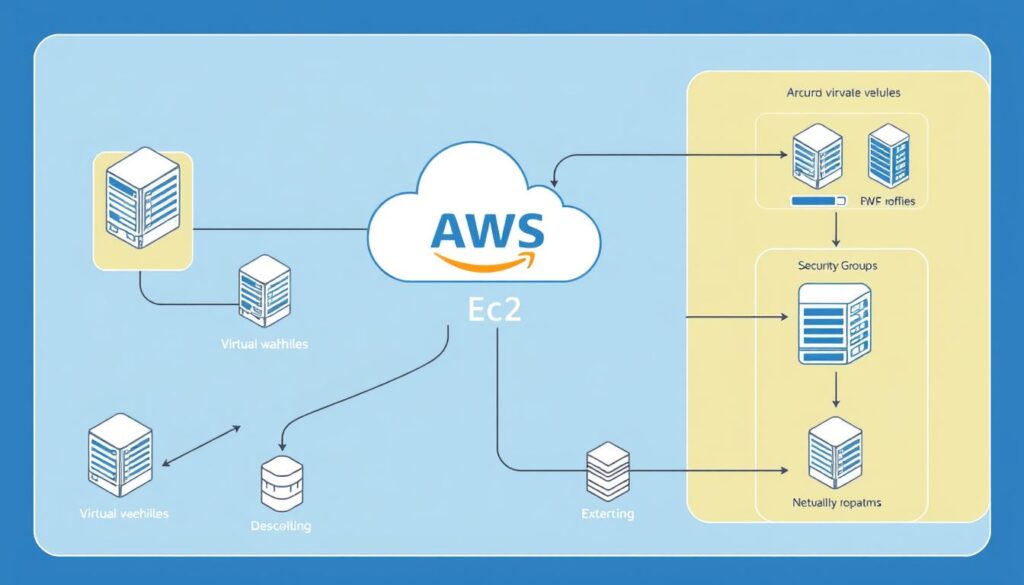
When it comes to enterprise-level VPS hosting, AWS is the undisputed leader, offering unparalleled scalability through its EC2 instances. As one of the three largest cloud providers globally, AWS provides developers with access to an extensive ecosystem of complementary services.
Overview
AWS remains the best cloud provider for businesses that demand enterprise-level scalability and high availability. With its industry-leading global data center network, AWS is trusted by brands like Netflix, NASA, and Airbnb for their critical infrastructure.
Pros
AWS offers highly configurable virtual machines through its EC2 instances, supporting both Linux and Windows OS. Its Elastic Load Balancing & Auto-Scaling features automatically distribute traffic and scale resources to handle traffic spikes, ensuring peak performance and reliability.
Cons
While AWS offers the most comprehensive feature set, its pricing model can be complex for newcomers. However, developers can leverage cost optimization tools, reserved instances, and the free tier to manage expenses effectively.
Features
AWS provides a range of features that make it ideal for enterprise VPS hosting, including EC2 Instances, Elastic Load Balancing & Auto-Scaling, and an Extensive Marketplace with thousands of pre-configured AMIs, plugins, and integrations.
Pricing and Performance
AWS offers flexible pricing with pay-as-you-go and spot instances for significant cost savings. Its global infrastructure spans numerous regions and availability zones, allowing developers to deploy applications closer to their users for reduced latency.
By choosing AWS for your VPS hosting needs, you can benefit from its enterprise-grade security features, including VPC isolation, IAM, encryption options, and compliance certifications. With AWS, you can ensure your applications are always available and performing at their best.
Namecheap: Best Budget-Friendly Option
When it comes to affordable VPS hosting, Namecheap stands out with its competitively priced plans and robust features. For developers on a budget, Namecheap offers a compelling solution that balances cost and performance.
Overview
Namecheap has been a trusted name in the domain registration business for 25 years, and it has now expanded its services to offer budget-friendly VPS hosting plans. These plans are designed to be affordable, with prices starting at just $6.88 per month. The top-tier plan offers impressive specifications, including 8 CPU cores, 12GB RAM, and 240GB storage, all for $24.88 monthly.
Pros
Consistent Pricing: Namecheap’s pricing remains the same upon renewal, a significant advantage over competitors that raise rates after the initial period.
Affordable Control Panel: While cPanel costs extra, Namecheap offers Webuzo as a more affordable alternative at $2.88/month, providing an intuitive interface for managing SSL certificates and SSH access.
Cons
Bandwidth Limitations: Entry-level plans come with low bandwidth limits, which may not be suitable for traffic-intensive applications.
Extra Costs: cPanel and other premium features incur additional costs, which can add to the overall expense.
Features
Namecheap’s VPS hosting plans come with a range of features, including flexible storage options and robust security measures. The Webuzo control panel allows for easy management of SSL certificates, SSH access, and other development configurations.
Pricing and Performance
In terms of performance, Namecheap’s VPS hosting places in the mid-range category. It took 11 minutes and 22 seconds to import a 4GB MySQL database file, and the average load time was 2.4 seconds. While not the fastest, the performance is reasonable considering the price point.
Overall, Namecheap offers a compelling value proposition for developers seeking budget-friendly VPS hosting. With its consistent pricing, affordable control panel options, and solid performance, it’s an attractive choice for those looking to balance cost and quality.
Bluehost: Best for WordPress Developers
Bluehost is a top choice for WordPress developers due to its specialized optimizations and seamless integration with the WordPress ecosystem. With over 2 million customers and in business since 2003, Bluehost provides a reliable infrastructure with included cPanel control panel software, making it exceptionally easy for developers to manage WordPress installations, databases, and domain configurations.
Overview
Bluehost’s VPS hosting plans are designed to meet the specific needs of WordPress developers, offering NVMe storage for improved performance and a range of features that simplify the development process. Their Enhanced NVMe8 plan, for example, offers 8GB RAM, 4 CPU cores, and 200GB storage, delivering solid performance on database operations and reasonable page load times.
Pros
The pros of using Bluehost for WordPress development include:
- Specialized optimizations for WordPress
- Automatic WordPress updates
- Seamless integration with the WordPress ecosystem
- cPanel control panel software for easy management
Cons
Some of the cons include:
- Middling support
- Somewhat high pricing
- Transfer process can be challenging
Features
Bluehost’s VPS plans feature a range of tools and services that are particularly beneficial for WordPress developers, including staging environments for testing changes, built-in caching mechanisms, and one-click WordPress installations. These features simplify the development process and reduce configuration time, allowing developers to focus on creating high-quality content.
Pricing and Performance
While Bluehost’s pricing is higher than some budget options, the exceptional reliability, WordPress-specific optimizations, and included cPanel license provide substantial value for developers focused on WordPress projects. The Enhanced NVMe8 plan, for instance, offers a robust set of resources at a competitive price. In terms of performance, Bluehost’s VPS hosting delivered solid results in our tests, with load times of 1.75 seconds and database operation completion times of 3 minutes and 6 seconds.
GreenGeeks: Best Eco-Friendly VPS Option

For developers prioritizing environmental sustainability, GreenGeeks stands out as a premier VPS hosting provider. Founded in 2010, GreenGeeks has been a pioneer in eco-friendly hosting solutions, making it an ideal choice for environmentally conscious developers.
Overview
GreenGeeks is committed to reducing its carbon footprint by replacing 300% of the energy it uses with wind power credits. Additionally, the company plants a tree for every new account, further enhancing its eco-friendly credentials. While its plans start at $69 per month, the inclusion of cPanel and WHM as standard features adds significant value.
Pros
Eco-friendly practices: GreenGeeks’ commitment to sustainability is a major advantage for developers who prioritize environmental responsibility.
Included cPanel and WHM: The provision of these control panels as standard features simplifies server and website management.
Cons
Higher pricing: The cost of GreenGeeks’ VPS plans may be prohibitive for some developers, particularly those on a tight budget.
No discounts for long-term commitments: Unlike some competitors, GreenGeeks does not offer discounts for purchasing plans in advance.
Features
GreenGeeks’ VPS plans are equipped with robust features that cater to the needs of developers. These include high-performance storage, enhanced security measures, and scalable resources to accommodate growing projects.
Pricing and Performance
While GreenGeeks’ pricing may be higher than some competitors, its performance justifies the cost. In our tests, GreenGeeks demonstrated impressive database operation speeds and quick page load times, making it a solid choice for developers who require reliable hosting.
By choosing GreenGeeks, developers can align their hosting choices with their environmental values without compromising on performance or features.
Kamatera: Best for Customization and Flexibility

With Kamatera, you get a customizable VPS hosting experience that’s hard to match. Kamatera is a great pick if you need VPS hosting that can grow with your business. You can tweak CPU, RAM, storage, and more on the fly, which is really handy if you’re dealing with unexpected traffic or need to expand your services.
Overview
Kamatera has established itself as the leading VPS hosting provider for developers who require maximum customization and flexibility. Their global infrastructure includes multiple data centers across North America, Europe, Asia, and the Middle East, allowing developers to strategically position their applications closer to target audiences for reduced latency and improved performance.
Pros
Highly customizable server configurations allow for adjustments to CPU, RAM, storage, and network resources on demand. The intuitive control panel makes managing complex server configurations easy.
Cons
Backups are not included for free, requiring additional budget allocation for data protection. This is an important consideration for production environments where data integrity is critical.
Features
Kamatera’s control panel provides an intuitive interface for managing complex server configurations. You can select specific processor types, storage configurations, and operating systems, offering a level of customization typically only available with much more expensive dedicated server options.
Pricing and Performance
The platform’s standout feature is its true pay-as-you-go pricing model starting at just $4 per month, eliminating the need for long-term contracts. This allows developers to scale resources up or down in real-time based on actual usage patterns and traffic demands.
Kamatera makes it easy to scale your VPS hosting as your business grows or your project needs change. With data centers worldwide, you can pick a location close to your audience, reducing latency and keeping your site running fast.
Vultr: Best for Global Deployment Options

With 32 data centers worldwide, Vultr offers unparalleled global VPS hosting. This extensive network enables you to deploy servers in multiple regions, ensuring low latency for users across different geographic locations.
Overview
Vultr stands out for its global data center reach and developer-friendly pricing model. It’s best suited for developers and small businesses needing servers in multiple regions. Key features include Instant Deploy Compute Instances, Block Storage & Load Balancers, and One-Click Installers.
Pros
Global Reach: 32 worldwide locations minimize latency for global users. Flexible Pricing: Clear hourly and monthly billing provides transparency and control over costs.
Cons
While Vultr offers many benefits, some users may find the management of multiple servers complex. Additionally, the pricing model, while flexible, may require careful monitoring to optimize costs.
Features
Vultr’s features are designed to enhance your development experience. Instant Deploy Compute Instances allow you to provision new VPS instances in seconds. Block Storage & Load Balancers enable you to scale your applications easily. One-Click Installers provide quick setup and configuration for popular development stacks.
Pricing and Performance
Vultr’s pricing is competitive, with both hourly and monthly billing options available. The platform’s high-performance NVMe storage ensures superior read/write speeds, making it ideal for data-intensive applications.
By choosing Vultr, you can optimize your VPS hosting for global deployment, leveraging their extensive network and flexible pricing model to meet your business needs.
Comparing VPS Hosting Plans: Price vs. Performance
Developers must carefully assess VPS hosting plans, considering both cost and performance metrics to choose the best option for their projects.
Entry-Level Plans Comparison
Entry-level VPS plans, typically priced between $2 and $10 per month, offer basic resources suitable for development environments, personal projects, or low-traffic applications. Providers like Hostinger and Ionos deliver exceptional value in this segment, with plans starting at $4.99 and $2 respectively. When evaluating these plans, consider the CPU cores, RAM, and storage offered.
Mid-Range Plans Comparison
Mid-range plans, priced between $10 and $30 per month, represent the sweet spot for most development projects. They balance sufficient resources (4-8GB RAM, 2-4 CPU cores, 100-200GB storage) with reasonable pricing. For instance, Hostinger’s KVM4 plan at $10.49/month offers strong performance metrics relative to its cost. These plans are ideal for projects that require more resources than entry-level plans can provide.
High-End Plans Comparison
High-end VPS plans, priced at $30-$100+ per month, target resource-intensive applications and high-traffic websites. Providers like Liquid Web ($99/month) and GreenGeeks ($69/month) deliver premium performance, managed services, and enterprise-grade features. When evaluating high-end plans, consider factors like the type of storage (NVMe vs. SSD), network throughput, and included management services.
By comparing these plans based on price and performance, developers can make informed decisions that meet their project requirements and budget constraints.
Essential Developer Tools and Features to Look For
When choosing a VPS hosting provider, it’s crucial to consider the tools and features that will impact your development workflow. The right tools can streamline your processes, enhance productivity, and ensure the security of your applications.
Control Panel Options
The control panel is a critical component of your VPS hosting experience. While cPanel is the most popular choice, offering a comprehensive and user-friendly interface, it often comes with additional licensing fees ranging from $10 to $23 per month. Alternatively, providers may offer capable alternatives like Plesk, Webmin/Virtualmin, or custom dashboards at lower or no extra cost. When evaluating control panel options, consider the trade-offs between functionality, cost, and ease of use.

Development Environments and Integrations
A suitable VPS hosting provider should support modern development workflows. Look for providers offering one-click installations for popular frameworks like Node.js, Python, Ruby, and PHP. Additionally, consider the availability of container support through Docker or Kubernetes, version control integration with Git, and compatibility with CI/CD pipelines. These features can significantly enhance your development efficiency and flexibility.
Security Features for Developers
Security is paramount in development environments. Essential security features include isolated development, staging, and production environments, SSL certificate management, IP access restrictions, firewall configuration tools, and vulnerability scanning capabilities. These features help identify and mitigate security issues early in the development process, ensuring the integrity of your applications.
| Feature | Description | Importance Level |
|---|---|---|
| Control Panel | cPanel or alternative control panels | High |
| One-Click Installs | Easy installation of popular frameworks | High |
| Container Support | Docker, Kubernetes support | Medium |
| Security Features | SSL management, IP restrictions, vulnerability scanning | High |
Managed vs. Unmanaged VPS: What Developers Should Choose
When selecting a VPS hosting provider, one of the most critical decisions developers face is choosing between managed and unmanaged VPS solutions. This choice significantly impacts the level of control, support, and resources available for development projects.
Benefits of Managed VPS for Developers
Managed VPS solutions provide substantial benefits for developers who want to focus on application development rather than server administration. With managed VPS, providers handle operating system updates, security patches, performance optimization, and monitoring, effectively eliminating the overhead of routine server maintenance. The enhanced support available with managed VPS plans offers significant value, providing access to experienced system administrators who can quickly resolve server-related issues and optimize configurations for specific applications.
This level of support is particularly valuable for developers without extensive server administration experience, allowing them to concentrate on their core development work while leaving server management to the experts.
When to Choose Unmanaged VPS Solutions
Unmanaged VPS solutions are appropriate for developers with strong system administration skills who require complete control over their server environment. These solutions are ideal for projects that need custom configurations beyond what managed services typically allow, or have specific security or compliance requirements that necessitate custom implementations.
While unmanaged VPS plans typically cost 30-50% less than their managed counterparts, they require the development team to have the necessary expertise to handle server administration responsibilities effectively. This makes them attractive for budget-conscious projects with experienced teams.
Conclusion
The right VPS hosting provider can make a substantial difference in the performance and scalability of your development projects. As you’ve seen from our comprehensive evaluation, selecting a provider that meets your specific needs is crucial for success in the competitive American market.
Our analysis identified Hostinger as the best overall value, offering an exceptional balance of performance and affordability. For high-performance needs, Liquid Web stands out, while specialized providers like DigitalOcean excel with developer-friendly tools and workflows. When making your final choice, consider not only your current project requirements but also future growth needs.
The VPS hosting landscape continues to evolve, with providers tailoring their offerings to developer-specific needs through improved APIs, integrated CI/CD pipelines, and specialized development environments. The true value of a VPS hosting provider extends beyond basic specifications and pricing to include factors like support quality, security practices, and the availability of developer-specific tools and features.
By choosing a provider that offers seamless scalability options, you can ensure that your applications can accommodate increasing traffic and expanding business requirements without disruptive migrations. Ultimately, the right VPS hosting choice will enhance your productivity, enable innovation in your development projects, and drive business success.

