

Table of Contents
A slow-loading website can be a significant turn-off for visitors, leading to frustration and a higher bounce rate. In today’s digital landscape, a fast and responsive website is crucial for success. Research by Aberdeen Group found that every 1-second delay in page load time can decrease customer satisfaction by 16%, page views by 11%, and conversion rates by 7%.
So, how can you ensure your website is performing at its best? Kinsta’s hosting solutions are designed to improve website speed and performance. With a focus on optimization and a commitment to delivering exceptional user experiences, Kinsta can help you maximize your website’s potential.
Key Takeaways
- Discover how Kinsta’s hosting solutions can improve your website’s speed and performance.
- Learn the importance of website speed for business success.
- Understand common WordPress performance bottlenecks and how to optimize for different site types.
- Explore Kinsta’s performance-first architecture and integrated features.
- Find out how to maximize your website’s potential with Kinsta’s hosting platform.
Why Website Speed Matters for Your Business
Website speed is no longer just a technical aspect; it’s a critical business factor that can make or break your online presence. In today’s fast-paced digital world, users expect websites to load quickly and provide a seamless browsing experience. A slow-loading website can lead to frustration, driving potential customers away and negatively impacting your business.
The Impact of Page Load Time on User Experience
The time it takes for your website to load can significantly affect user experience. Studies have shown that even a one-second delay in page load time can result in a 7% reduction in conversions. This is because users are more likely to abandon a website that takes too long to load, leading to a loss in potential sales and revenue.
Furthermore, page load time is closely tied to user engagement. Faster-loading websites tend to have higher engagement rates, as users are more likely to explore the site and interact with its content. This, in turn, can lead to increased customer satisfaction and loyalty.
| Page Load Time | User Engagement | Conversion Rate |
|---|---|---|
| 0-2 seconds | High | High |
| 2-5 seconds | Medium | Medium |
| 5+ seconds | Low | Low |
How Speed Affects Conversion Rates and Revenue
The speed of your website has a direct impact on conversion rates and, subsequently, revenue. A fast-loading website can improve the overall user experience, leading to higher conversion rates and increased revenue. Conversely, a slow-loading website can drive potential customers away, resulting in lost sales and revenue.
Google’s own research has demonstrated the importance of speed in driving conversions. By optimizing their website’s load time, they were able to increase conversions and improve overall user satisfaction.
Key statistics on website speed and conversion rates:
- A 1-second delay in page load time can result in a 7% reduction in conversions.
- Faster-loading websites tend to have higher engagement rates and increased customer satisfaction.
- A fast-loading website can improve conversion rates and drive revenue.
Speed as a Ranking Factor for Search Engines
Website speed is also a critical ranking factor for search engines like Google. With the majority of users accessing websites through mobile devices, page speed has become an essential component of search engine optimization (SEO).
Google’s algorithm prioritizes fast-loading websites, particularly those that provide a seamless user experience on mobile devices. By optimizing your website’s speed, you can improve your search engine rankings, drive more traffic to your site, and increase overall visibility.
Key takeaways on website speed and SEO:
- Google prioritizes fast-loading websites in its search engine rankings.
- Page speed is a critical component of SEO, particularly for mobile devices.
- Optimizing website speed can improve search engine rankings and drive more traffic to your site.
Understanding WordPress Performance Bottlenecks
Understanding the common causes of slow WordPress sites is vital for improving their speed and performance. To optimize your WordPress site effectively, you need to identify and address the underlying performance bottlenecks.
Common Causes of Slow WordPress Sites
Several factors can contribute to slow WordPress sites. These include:
- Poorly optimized images: Large, uncompressed images can significantly slow down your site.
- Insufficient hosting resources: Shared hosting plans or servers with inadequate resources can lead to slow load times.
- Too many plugins: Installing too many plugins, especially those that are not well-optimized, can slow down your site.
- Outdated software: Using outdated versions of WordPress, themes, or plugins can lead to performance issues.
- Complex themes: Themes with complex designs or excessive features can slow down your site.
To mitigate these issues, it’s essential to regularly audit your site and optimize elements that are causing slowdowns.
The Limitations of Traditional Hosting Solutions
Traditional hosting solutions often have limitations that can impact your site’s performance. These include:
- Shared resources: Shared hosting plans share resources among multiple users, leading to inconsistent performance.
- Lack of scalability: Traditional hosting plans can be inflexible, making it difficult to scale resources according to your needs.
- Inadequate support: Some hosting providers may not offer the level of support needed to optimize your site’s performance.
To overcome these limitations, consider using a managed WordPress hosting solution that offers dedicated resources, scalability, and expert support.

Measuring Your Current Website Performance
Before optimizing your WordPress site, it’s crucial to establish baseline performance metrics. Use tools like Google PageSpeed Insights, GTmetrix, and WebPageTest to measure your site’s current performance.
- Core Web Vitals: Focus on loading, interactivity, and visual stability metrics to understand real-world user experience.
- Server Time to First Byte (TTFB): Measure how quickly your server processes PHP requests before sending any content.
- Waterfall charts: Visualize which resources are causing delays in your page rendering sequence.
- Database performance metrics: Monitor query execution time and total query count to identify backend bottlenecks.
By understanding your site’s current performance and identifying bottlenecks, you can develop a targeted optimization strategy to improve your site’s speed and overall user experience.
Static vs. Dynamic WordPress Sites: Different Performance Needs
Understanding the differences between static and dynamic WordPress sites is essential for optimizing their performance. The nature of your website, whether it’s static or dynamic, significantly influences its performance requirements and hosting needs.
Characteristics and Caching Potential of Static Sites
Static WordPress sites are those that don’t change frequently and serve the same content to all users. These sites can often perform adequately on shared hosting with good caching mechanisms in place. Caching is particularly effective for static sites because the content doesn’t change often, allowing for faster load times as the site can be served directly from the cache.
Caching Potential: Static sites have a high caching potential, which means they can be optimized for faster load times. By leveraging caching, you can significantly improve the performance of your static WordPress site.
Performance Challenges of Dynamic Sites (WooCommerce, Membership Sites)
Dynamic WordPress sites, such as those running WooCommerce or membership sites, present different performance challenges. These sites are interactive, meaning they change content or display different information based on user interactions. As a result, dynamic sites require more robust hosting solutions with dedicated resources to handle the constant changes and user-specific content.
- Server RAM requirements increase for dynamic sites due to the need for memory to handle PHP processes, database connections, and user sessions that can’t be cached.
- CPU allocation becomes critical as dynamic sites constantly execute PHP code and complex database queries for each visitor.
- Database performance specifications are more crucial for dynamic sites, directly impacting user experience.
How Hosting Requirements Differ Between Site Types
The hosting requirements for static and dynamic WordPress sites differ significantly. While static sites can often get by on shared hosting with effective caching, dynamic sites necessitate more powerful hosting solutions. This includes considerations for server resources, database performance, and scalability features like load balancing and auto-scaling.
For dynamic sites, factors such as network quality, bandwidth allocation, backup and recovery systems, and security measures become more pronounced. The hosting solution must be able to handle the dynamic nature of the site, ensuring that it can scale as needed and maintain performance under various loads.
Scalability and Security: For dynamic WordPress sites, scalability features and robust security measures are not just beneficial; they’re essential. Ensuring your hosting provider offers these can make a significant difference in your site’s performance and reliability.
Top 10 Ways Kinsta Improves Website Speed and Performance
Kinsta’s approach to website performance is rooted in its cutting-edge architecture, designed to optimize the speed and efficiency of your WordPress site. By leveraging the latest technology and innovative hosting solutions, Kinsta ensures that your website performs at its best.
Overview of Kinsta’s Performance-First Architecture
Kinsta’s performance-first architecture is built on a container-based infrastructure, utilizing virtual machines in Google Cloud data centers. This setup provides a robust foundation for your website, with each machine boasting up to 96 CPUs and hundreds of GB of RAM. The allocation of hardware resources (RAM/CPU) to each site container is done automatically on an as-needed basis, ensuring that your site receives the necessary resources to operate efficiently.
The key components of Kinsta’s architecture include:
- Container-based infrastructure: Isolating each WordPress site for maximum efficiency and security.
- Google Cloud Platform’s premium tier network: Optimizing data transfer for low latency.
- Server-level caching and CDN integration: Ensuring content is delivered from the optimal location.
- PHP optimization and database performance enhancements: Complementing each other for faster execution and connection utilization.

How These Features Work Together as an Integrated Solution
Kinsta’s performance features are designed to work together seamlessly, creating a cohesive system that delivers multiplicative benefits for your WordPress site’s speed. The container-based architecture provides the foundation that allows other performance features to operate at maximum efficiency without resource contention.
Some of the key ways these features integrate include:
- End-to-end optimized delivery path: From server to visitor browser, thanks to Google Cloud Platform’s premium network and Kinsta’s CDN.
- Coordinated caching and content delivery: Server-level caching works in concert with the CDN for optimal content storage and delivery.
- Automatic scaling during traffic surges: Resource allocation systems communicate with monitoring tools to scale your site’s computing power as needed.
- Unified control over performance features: The MyKinsta dashboard allows for coordinated optimization, rather than piecemeal adjustments.
By integrating these features, Kinsta creates a self-improving platform that continuously enhances your website’s performance. The expert support team complements the technical infrastructure by providing guidance on how to best leverage Kinsta’s performance features for your specific WordPress site.
1. Google Cloud Platform’s Premium Tier Network
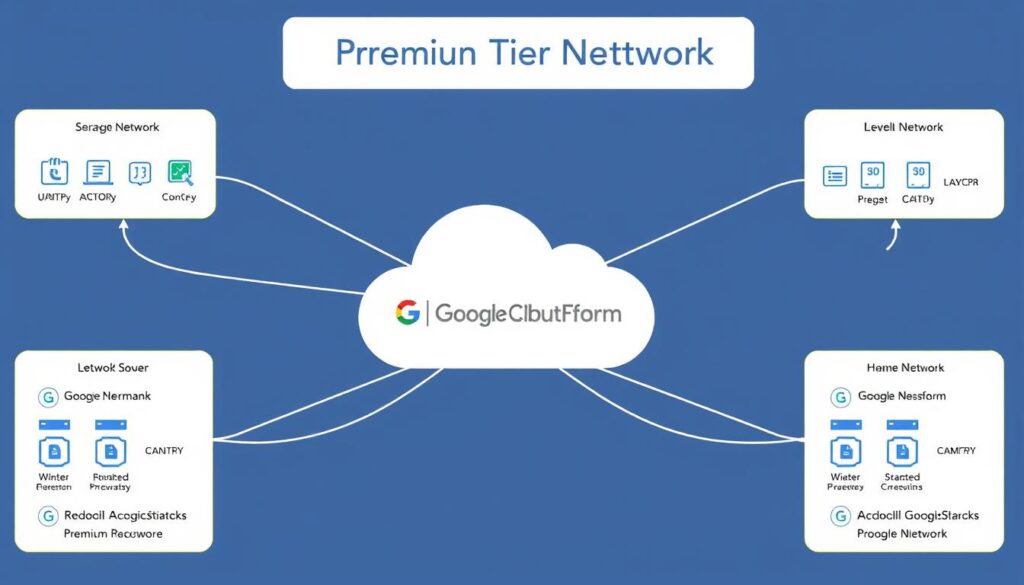
By leveraging Google Cloud Platform’s Premium Tier Network, Kinsta sets a new standard for website reliability. This advanced network infrastructure is designed to provide fast, consistent, and reliable connectivity between users and your WordPress site.
The Difference Between Premium and Standard Tier Networks
Google Cloud Platform offers two primary network tiers: Premium and Standard. The Premium Tier is designed for applications that require high-performance, low-latency networking, while the Standard Tier is more suited for general-purpose computing.
The key difference between the two tiers lies in their routing methodologies. The Premium Tier uses Google’s global network backbone to route traffic, reducing latency and improving performance. In contrast, the Standard Tier relies on the public internet, which can lead to increased latency and decreased reliability.
Key benefits of Premium Tier Network include:
- Reduced latency through optimized routing
- Improved performance through Google’s global network backbone
- Enhanced reliability through redundant network paths
How Premium Network Routing Reduces Latency
Premium Tier Network routing plays a crucial role in reducing latency. By using Google’s global network backbone, traffic is routed through the most direct and efficient paths, minimizing delays and improving overall performance.
This optimized routing is particularly important for applications that require real-time communication, such as video streaming or online gaming. By reducing latency, the Premium Tier Network ensures a smoother, more responsive user experience.
N+2 Redundancy for Consistent Performance
Redundancy is also key to maintaining consistent performance, and that’s why Google uses at least three independent paths (N+2 redundancy) between any two locations on the Google network. This approach helps ensure that traffic continues to flow between locations even in the event of a disruption.
- Kinsta leverages Google Cloud’s N+2 redundancy model, maintaining at least three independent network paths between any two locations on the network.
- This level of redundancy ensures that even if two network paths fail simultaneously, your WordPress site remains accessible with minimal performance impact.
- Unlike traditional hosting that might offer single redundancy (N+1) or none at all, N+2 provides an additional safety layer that virtually eliminates network-related downtime.
- The redundant network design automatically reroutes traffic in milliseconds when issues are detected, often resolving problems before they impact site performance.
- This redundancy extends beyond network paths to include routers, switches, and other critical infrastructure components that could affect your site’s availability.
By combining the Premium Tier Network with N+2 redundancy, Kinsta provides a hosting environment that is both fast and reliable. This approach ensures that your WordPress site remains accessible and performs consistently, even during periods of high traffic or network disruptions.
2. Isolated Container Technology
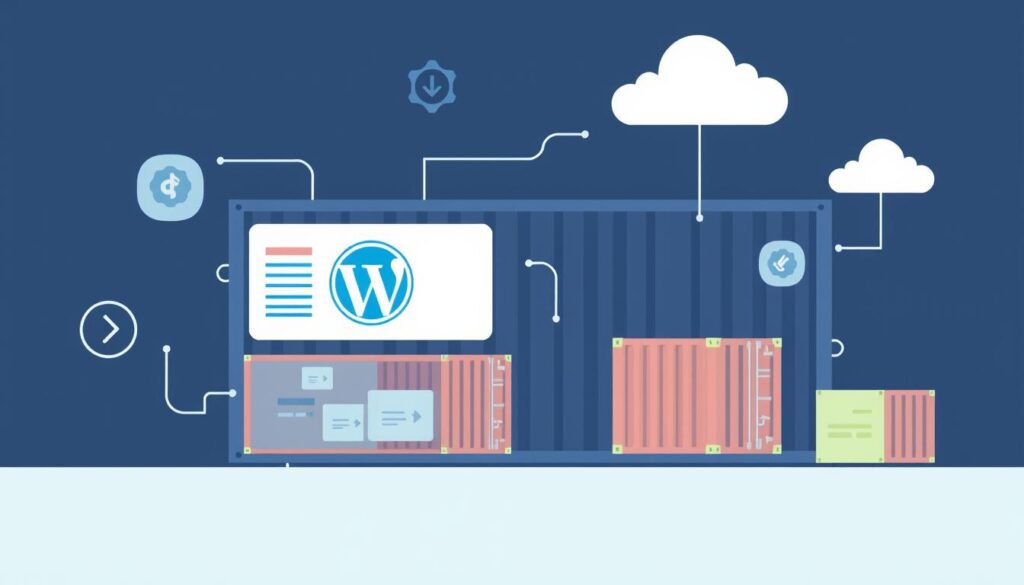
Isolated container technology is at the heart of Kinsta’s high-performance WordPress hosting. This innovative approach ensures that each WordPress site is hosted in its own isolated environment, enhancing security, performance, and reliability.
How Software Containers Isolate Each WordPress Site
Kinsta utilizes software containers to isolate each WordPress site, providing a dedicated environment that is not shared with other sites. This isolation is crucial for security and performance.
By containerizing each site, Kinsta ensures that if one site is under attack or experiences a spike in traffic, it won’t affect the performance of other sites on the same server.
Isolation Benefits: Enhanced security through segregation, improved performance due to dedicated resources, and simplified management.
Resource Allocation Based on Real-Time Needs
Kinsta’s container technology allows for dynamic resource allocation based on real-time needs. This means that your WordPress site can scale resources up or down as required, ensuring optimal performance during traffic spikes.
The system monitors your site’s needs and adjusts resources accordingly, ensuring that your site remains responsive and fast.
Real-Time Resource Adjustment: Ensures your site can handle sudden increases in traffic without downtime.
Security Benefits That Contribute to Performance
Kinsta’s isolated container technology provides significant security benefits that directly contribute to your WordPress site’s performance. By isolating your site, Kinsta prevents malicious activities from affecting your site’s resources.
- DDoS protection is built into the infrastructure, preventing attack traffic from reaching your site.
- Continuous security monitoring operates with minimal performance overhead.
- Automated malware scanning happens outside your container, ensuring thorough protection.
- Hardware-level firewalls filter malicious traffic before it reaches your site.
Enhanced Security: Contributes to better performance by preventing attacks and malicious activities from consuming your site’s resources.
3. Compute-Optimized C2 and C3D Virtual Machines

Kinsta’s infrastructure leverages compute-optimized C2 and C3D virtual machines to significantly enhance website performance. By utilizing these advanced virtual machines, Kinsta is able to provide a faster and more reliable hosting experience for its users.
Intel Xeon and AMD EPYC Processor Capabilities
The C2 and C3D virtual machines are powered by Intel Xeon and AMD EPYC processors, respectively. These processors offer high-performance capabilities that are essential for demanding workloads.
The Intel Xeon processors used in C2 VMs provide exceptional processing power, with features like Intel Turbo Boost Technology that dynamically increases the clock speed, allowing for faster execution of instructions.
Similarly, the AMD EPYC processors in C3D VMs offer high core counts, large cache sizes, and support for high-speed memory, making them ideal for compute-intensive applications.
Performance Comparison: 2x Faster Than General Purpose VMs
During our testing, we found that migrating a WordPress site from a general-purpose VM to a C2 VM resulted in a 2x increase in performance. Furthermore, migrating from a C2 to C3D VM saw response times improve by an additional 20% to 50%.
Kinsta’s internal benchmarking shows that WordPress sites on compute-optimized C2 VMs perform twice as fast as identical sites on general-purpose VMs. The performance advantage becomes even more pronounced under high traffic conditions, where compute-optimized machines maintain consistent performance while general-purpose VMs experience degradation.
Key benefits of using C2 and C3D VMs include:
- Kinsta’s internal benchmarking shows that WordPress sites on compute-optimized C2 VMs perform twice as fast as identical sites on general-purpose VMs.
- The performance advantage becomes even more pronounced under high traffic conditions, where compute-optimized machines maintain consistent performance while general-purpose VMs experience degradation.
- Testing with C3D machines powered by AMD EPYC processors showed an additional 20-50% performance improvement over the already fast C2 machines.
- These performance gains translate directly to faster page generation times, which form a significant portion of overall page load speed.
- Real-world testing with WooCommerce sites showed that checkout processes completed up to 3x faster on compute-optimized machines compared to general-purpose VMs.
- Database-intensive operations like search queries and product filtering show some of the most dramatic improvements, often completing in half the time.
- WordPress admin dashboard operations benefit significantly from the improved computing power, making site management more efficient.
- The performance advantage extends to WP-CLI operations, making maintenance tasks like database optimization and bulk content updates complete much faster.
These improvements demonstrate the significant performance benefits of using compute-optimized C2 and C3D virtual machines for hosting WordPress sites.

